
Release 2026-4
Small Molecule Drug Discovery
Platform Environment
Maestro Graphical Interface
- Bunsen–Maestro Integration: Launch Maestro and Bunsen from each other’s interfaces and connect active sessions
- Bunsen-Maestro Integration: A new automated modal dialog handler ensures agentic workflows executed in Maestro are never blocked by pop-up dialogs
- High-Scale Maestro to LiveDesign Export Performance: Highly accelerated Maestro to LiveDesign export performance for large datasets; For ~75k compounds time was reduced from about an hour to under 4 minutes
- Polymer-Aware Residue Grouping in the Structure Hierarchy: Non-standard and modified residues within polymer chains are now grouped inside their parent biopolymer chain (Protein, DNA, or RNA) in sequence order
- Pin Favorite Projects and Structures on Welcome Screen: Star recent items on the Welcome Screen to keep favored projects and structures pinned at the top across sessions
- Reset UI to Default Settings: New “Resetting Preferences” section in Preferences → General with a “Reset UI to Default Settings” action to restore window layouts, toolbars, colors, fonts, and presets without altering project files or scientific options
- Disabled Atomic Partial Charges for Coarse-Grained Systems: Disabled atomic partial charge options in Maestro for Coarse-Grained (CG) models where atomic charges are irrelevant
- Decoupled 2D Viewer Settings & Hydrogen Controls: Added a dedicated “2D Settings…” option to the 2D Viewer gear menu (persisted across sessions) independent of global preferences, plus an “Expose All Hydrogens” toggle
- Clarified 2D Structure Preferences Scope: Preferences → 2D Structure explicitly specifies its scope across the Project Table and 2D Overlay, provides a shortcut to Ligand Detection settings, and ensures the 2D Overlay adheres to these preferences
Infrastructure
- Native Apple Silicon Support (macOS ARM64): Replaced x86_64 translation with native ARM64 binaries across the entire suite on macOS, allowing Maestro and integrated backends to execute natively on Apple Silicon without Rosetta 2
Target Validation & Structure Enablement
Protein Preparation
- Easier customization of hydrogen/bond order assignment settings
- Allow interactive termini capping during protein preparation
- Either terminal oxygen can now be rebuilt if missing from input structure
Predictive Tox Panel
- Three new targets have been added including one nuclear hormone receptor (progesterone), one GPCR (CB1), and one protease (MALT1)
Binding Site & Structure Analysis
Desmond Molecular Dynamics
- Added support of nucleotide-based receptors (DNA/RNA) in the Simulation Interaction Diagram (SID)
- New membrane bilayer template for POPE-POPG (3:1)
Desmond Molecular Dynamics
- Speed simulations up to ~66% with support to adjust Hydrogen Mass Repartitioning (HMR)
- Seven new mixed lipid bilayers are now supported by the System Builder
Ligand Preparation
Ligand Preparation and Conformation Generation
- Added ring spear detection to LigPrep to ensure macrocycle conformations with bonds passing through rings are not returned
Empirical and QM-based pKa Prediction
- An improved html report is now available at the end of Macro-pKa calculations
Hit Identification & Virtual Screening
Glide
- Use Generative Glide to screen billions of molecules with generative AI combined with physics-based docking in a fraction of the time of traditional screening to rapidly discover diverse, high-scoring hits
Macrocycles
- Macrocycle Docking script now support docking into cryo-electron microscopy (cryo-EM) density maps
- Macrocycle Docking panel can now be used to dock ligands into cryo-EM density maps with the new map input field
- Output poses for Macrocycle Docking jobs now retain the original input ligand titles
ABFEP
- Efficiently screen structurally diverse chemotypes and novel scaffolds up to 5X faster with high-throughput ABFEP Scan mode
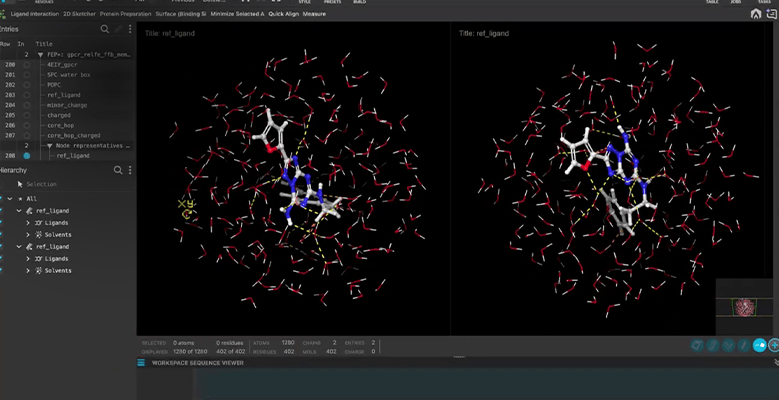
- A representative structure from the solvent leg is now available
- Optionally apply alternative water models
Lead Optimization
Ligand alignment
- Tug Align 2 is now the default macrocycle ligand alignment algorithm in the Maestro Ligand Alignment panel
- The Ligand Alignment panel now exposes advanced alignment options for finer control of alignments of macrocycles
RetroSynth
- Updated RetroSynth reports to include:
- Cover page with high-level overview and vector images
- Faster result generation and smaller file size
- Every solved route, not just the top 30
- Select from custom vendors before launching RetroSynth
- New Stereochemical scoring accounts for variants in stereochemistry in custom stock
FEP+
- A representative structure from the solvent leg is now available
- Added support for nucleotide-based receptors (DNA/RNA)
Protein FEP
- A representative structure from solvent leg is now available
- New interface support to setup and analyze pH-dependent affinity predictions
- FEP+ Residue Scanning now supports protein mutations including non-standard amino acids at scale
Solubility FEP
- A representative structure from the hydration leg is now available
FEP+ Protocol Builder
- Added support for nucleotide-based receptors (DNA/RNA)
Quantum Mechanics
- DFT single point energies and geometry optimizations can be performed within the resolution-of-identity approximation on GPU
- Optical rotation as a function of wavelength is a new property in Jaguar panels
Macrocycles
- Open beta release for Tug Align 2, an improved flexible ligand alignment algorithm for fast alignment of macrocycles and other beyond rule-of-five compounds where standard flexible alignment is unsuitable
- Improved enrichment of native-like macrocycle conformers with Prime-MCS
- Prime Macrocycle Sampling panel default implicit solvent model is now the surface generalized born model
- Improved memory utilization for macrocycle scoring script when running QM scoring jobs
Education Content
- New Tutorial: Exploring Water Wire Effects on Reaction Barriers with AutoTS
- New Tutorial: Affinity Optimization of Macrocycles with FEP+
- New Tutorial: In Silico Multi-parameter Optimization of Protein-Protein Complexes
- New Tutorial: Refining Ligand Poses from Cryo-EM Models to Enable FEP+
- Updated Learning Path: Computational Target Analysis
Materials Science

GUI for Quantum ESPRESSO
Product: Quantum ESPRESSO (QE) Interface
- Upgrade to Quantum ESPRESSO 7.6
- VASP constraints retained when using POSCAR file as input (command line)
- Support for Broyden optimization in NEB calculations (command line)
- (+MATSCI_QE_SOLVATION) Support for 3D-RISM
- Surface Energy: Option to select slab surface termination groups
Defect Properties
Product: MS DefectPro
- Defect Correction: Support for Freysoldt correction on all OS
Microkinetics
Product: MS Microkinetics
- Multistage workflow for electrocatalysis
Active Learning Optoelectronics
Product: Active Learning Optoelectronics
- Active Learning Optoelectronics: MLFF option for geometry optimization
Reactivity
Product: MS Reactivity
- Reaction Network Viewer: Expanded list of energy-related properties
KMC Charge Mobility
Product: MS Mobility
- Compute KMC Charge Mobility: Improved prediction for zero-field mobility
Reactive Interface Simulator
Product: MS RIS
- Solid Electrolyte Interphase: Speedup (up to 4 times) with improved algorithms
Advanced Force Field Applications
Product: MS FF Applications
- MLFF Calculation: Output structures returned along the optimization path
- MLFF Fine-Tuning: Support for training with multiple datasets
- MLFF Fine-Tuning: Option to start fine-tuning from a custom MPNICE model
- MLFF Fine-Tuning: Option to customize the fraction of validation set
- MLFF Fine-Tuning: Option to train on data from other MLFF simulations
Transport Calculations via MD simulations
Product: MS Transport
- Ionic Conductivity: Support for solid-state structures as input
Coarse-Grained (CG) Molecular Dynamics
Product: MS CG
- Backmapping: Secondary structure in protein structures retained
- Backmapping: Option to record intermediate structures and trajectories
- Backmapping: Support for antibodies
- Coarse-Grained Sketcher: Support for loading CG structures for editing
- CG FF Builder: NPT ensemble set as default
- CG FF Builder: Improved speed and memory utilization for RDF calculations
- CG FF Builder: Control over the ratio of training from all-atom and CG trajectories
- Coarse-Grained Mapping: Support for mapping from command-line
Materials Informatics
Product: MS Informatics
- Machine Learning Property: 5 new models for properties of inorganic crystals
- MPNICE Embeddings: Option to load results from the file system
- MPNICE Embeddings: Six new machine learning models to select
- MLFF Calculations: Support for parallel simulations
- Solubility ML: Prediction of molecular solubility in non-aqueous solvents
Formulation ML
Product: MS Formulation ML
- Formulation ML Optimization: Returning CSV output
- Formulation ML: Feature Importance reported for individual formulations
Denovo ML
Product: MS Denovo ML
- REINVENT: Access to pre-trained ML models
- Inverse Molecular Design: AI-powered workflow to generate organic molecules with target properties
MS Maestro Builders and Tools
- Agentic Workflow: AI Agent for building Meta Workflows
- Assign Space Group: Option to set up tolerance for symmetry
- Disordered System: Retention of component titles as atom-level properties
- Import Slabs: Additional (49) slab surface models for semiconductor application
- Infrastructure: Visualization of input SMARTS patterns
- Interface Builder: Option to build non-primitive slab surfaces (command line)
- Meta Workflows: (+META_WORKFLOW_QE) Support for Quantum ESPRESSO
- Meta Workflows: Support for Thermal Conductivity
- Partial Concentration: Mixture components labeled after the original entry title
- Periodic Enumeration: Option to set oxidation states for Ewald ranking
- Periodic Enumeration: Option to limit the number of output structures
- Periodic Enumeration: Option to turn off space group assignment for speed-up
- Periodic Enumeration: Option to turn off atom connections for speed-up
- Reaction Path Viewer: Support for MLFF
- Semicrystalline Polymer: UI for assigning head/tail sites on repeat units
- Semicrystalline Polymer: Multiple monomer types in amorphous region
- Semicrystalline Polymer: Improved algorithm for a speed-up of up to 20 times
- Solvate System: Support for MLFF
- Solvate System: Retention of component titles as atom-level properties
- Structured Liquid: Retention of component titles as atom-level properties
- Structured Liquid: Support for MLFF
- Sugar Builder: Option to build with glycosylation patterns
Classical Mechanics
- Droplet: Support for MLFF
- Mixing Enthalpy: (+MATSCI_MIXING_ENERGY) Support for parallel computing on multiple GPUs
- Mixing Enthalpy: (+MATSCI_MIXING_ENERGY) Workflow solution to compute energy of mixing and the Flory-Huggins χ parameter for multi-component polymeric materials
- Polymer Crosslink: Improved structure-scanning algorithm for speed-up
- Umbrella Sampling: Support for job restart/extension
- Script for modifying 3D molecular structure of an RNA (command line)
Quantum Mechanics
- QM Multistage: GPU support for single-point energy and geometry optimization
- QM Multistage: Option to compute optical rotation as a function of wave length
- Adsorption Energy: Support for applying pressure lower than 0.01 atm
- Adsorption Energy: Increased vacuum in PBC for molecules in the gas phase
- Adsorption Energy: Option to include the dipole correction
- Bond and Ligand Dissociation: Option to specify bonds to dissociate
- CREST: Available to run on MS Maestro license
- Optoelectronic Film Properties: Option to compute dipole for all input molecules
- Optoelectronic Film Properties: Giant surface potential (GSP)
- Optoelectronic Film Properties: Spontaneous orientation polarization (SOP)
- Optoelectronic Film Properties: Order parameters for the electric dipole moment
- Optoelectronics: Support for geometry optimization via MLFF
- Phase Diagram: User control over displayed units
- Probe Grid Scan: Support for probing the interior of cage-like molecules
Education Content
- New Tutorial: Designing Workflows with Agentic AI Models
- New Tutorial: Spontaneous Orientation Polarization and Giant Surface Potentials of Thin-Films
- New Tutorial: Microkinetic Modeling of Electrocatalytic Reactions
- New Tutorial: Protein Characterization: Part 3
- New Tutorial: De Novo Design of Novel Compounds with Path Steered Diffusion Model
- New Tutorial: Building Glycans with the Sugar Builder
- New Tutorial: Machine Learning Solubility Prediction
- New Tutorial: Machine Learning Property Prediction for Inorganic Crystals
- Updated Tutorial: Kinetic Monte Carlo (KMC) Charge Mobility
Education Content
Life Science
- New Tutorial: Exploring Water Wire Effects on Reaction Barriers with AutoTS
- New Tutorial: Affinity Optimization of Macrocycles with FEP+
- New Tutorial: In Silico Multi-parameter Optimization of Protein-Protein Complexes
- New Tutorial: Refining Ligand Poses from Cryo-EM Models to Enable FEP+
- Updated Learning Path: Computational Target Analysis
Materials Science
- New Tutorial: Designing Workflows with Agentic AI Models
- New Tutorial: Spontaneous Orientation Polarization and Giant Surface Potentials of Thin-Films
- New Tutorial: Microkinetic Modeling of Electrocatalytic Reactions
- New Tutorial: Protein Characterization: Part 3
- New Tutorial: De Novo Design of Novel Compounds with Path Steered Diffusion Model
- New Tutorial: Building Glycans with the Sugar Builder
- New Tutorial: Machine Learning Solubility Prediction
- New Tutorial: Machine Learning Property Prediction for Inorganic Crystals
- Updated Tutorial: Kinetic Monte Carlo (KMC) Charge Mobility
LiveDesign
What’s Upcoming in 2026-4
-
Biologics
-
Paste multiple monomers at once in the Residue Substitution tool with Paste Multiple Monomers…, with any symbols not found in the monomer database marked as invalid so you can correct or remove them; to build the list, click Copy in the Symbol column header of the Monomer Database to copy the listed monomer symbols to the clipboard, one per line
-
Record who ran a residue substitution and when in the Entity Registration Scientist and Entity Date Registered columns of the resulting virtual biologics
-
Choose where residue substitution results go, either a new LiveReport or an existing one, with an option to open the target LiveReport when results are added
-
See the specific reason a residue substitution fails in a banner, instead of a generic failure message: each selected monomer is checked for the attachment points it needs to connect into the sequence, and monomers that fail this check or are unknown are reported
-
Compare residue substitution results more easily: chain, position, source, and destination residue values align within each cell so each substitution lines up across columns, and existing result columns are converted automatically on upgrade, so whole-number Mutation Position values from earlier runs no longer display with trailing decimals (for example, 5.0)
-
Create Peptide Drug Conjugates in the Entity Builder with four new templates: PDC (Peptide | Payload), PDC (Peptide | Spacer | Payload), PDC (Peptide | Linker | Payload), and PDC (Peptide | Spacer | Linker | Payload)
-
Register antibody-drug conjugates with flexible templates: the new ADC (Antibody | Linker-Payload) Flexible and ADC (Antibody | Linker | Payload) Flexible templates accept monospecific or bispecific antibodies and one or more linker-payloads, with optional Conjugation metadata on each component
-
Use either a monospecific or bispecific antibody in the 2-Part and 3-Part ADC templates, with the allowed entity types listed for each subcomponent
-
Add repeatable components, such as linker-payloads, with the Add button and remove extra instances with the delete icon, while at least one instance is always kept
-
Follow built-in instructions at the top of the Entity Builder for choosing a template type and adding subcomponents with Get from Selection; templates are managed on the server by administrators, and a message asks you to contact an administrator when none have been set up
-
View monomer R-groups in the Monomer Database table and monomer detail view, along with the total number of monomers and how many match the current filter
-
Use your custom monomer database in the monomer sketcher, with custom monomers colored by their natural analog and natural analogs shown when you long-click a monomer in the monomer picker
-
See non-standard monomers in Sequence Viewer logo plots shown separately by their Monomer DB Symbol (up to 6 characters) when that residue display format is selected, with a subtle background to help relate logo height to monomer frequency
-
Sort sequences in the Sequence Viewer alphabetically or by residue similarity at one or more aligned positions to quickly group related variants; your sorting criteria are saved and restored when you reopen the tool (a sort saved by a LiveReport column in an earlier version must be reapplied), and a banner shows while sorting is in progress
-
Align cyclic peptides with the new Cyclic Peptide Alignment option, which rotates each sequence to best match the reference before aligning so results do not depend on where each ring was linearized; it works best for out-of-phase, reasonably homologous cyclic peptides
-
Set the starting residue of aligned cyclic peptides by right-clicking a residue in the ruler and choosing Set as First Residue, with a one-time dialog explaining that the current alignment is preserved
-
See more detail in Sequence Viewer tooltips, including the full Monomer Database symbol for non-standard residues and each residue’s property value when coloring by residue property
-
Find similarity matrix settings in the renamed Alignment & Scoring Settings section, where an info tooltip explains that the matrix is used for pairwise alignment, cyclic peptide alignment, and residue similarity sorting
-
Know when entities can’t be displayed in the Sequence Viewer through a dismissible banner, for example for entities without a sequence or with invalid HELM
-
Keep constant domain selections when switching between heavy and light chains in Sequence Viewer CDR filtering
-
Sequence Viewer tooltips and logo plots are easier to read, with evenly spaced tooltip labels, custom matrix tooltips that no longer cover the options below, and padding above the reference sequence
-
Import Biologics/Other entities as any user: all users can import entities and data from the Biologics/Other import tab, any user can append data to an existing entity, and only the entity’s creator or an admin can overwrite its metadata
-
Review import failures for Biologics/Other entities in a detailed import receipt opened from the notification bar, and download it as a CSV file
-
-
Small Molecules
-
Import published assay data from files: when enabled by an administrator, small-molecule file imports from the LiveDesign UI (SDF, CSV, Maestro, Excel) include a Publish uploaded data option, so imported data is available in all unrestricted projects instead of only the source LiveReport
-
Re-order project scaffolds as an administrator in the Project Administration tab of the Project Dashboard; after you confirm, the new order sets scaffold priority in the R-Group Decomposition panel and may rerun R-group decomposition in LiveReports that use project scaffolds
-
Load the Project Dashboard Entities page faster on large servers, with partial loaders for each section, the recent entities filter defaulting to Last month, and entity counts that display legibly
-
Drag small-molecule generic entity structures from a LiveReport into the Filters panel, the Advanced Search structure query, and the sketcher in the Design and Search tabs
-
Copy small molecules imported as generic entities in MDL SD (Mol V3000) format, matching regular compounds
-
-
SAR Analysis Dashboard
-
Analyze SAR in the new SAR Analysis Dashboard: open it from the Structural Activity Relationship category of the Tools panel to map R-group decomposition results onto a 2D Heatmap, color-coded by any numeric property, alongside a linked Matched Scaffold and R-group filter panel, so you can spot activity cliffs and unexplored substituent combinations.
-
See data immediately on first open, for LiveReports with an R-group decomposition whose scaffold has at least two R-groups: the dashboard selects the first matched scaffold, places R1 and R2 on the axes, colors by the first numeric column, and adds the remaining R-groups as (defined) filters combined with AND
-
Filter by Matched Scaffold and R-group from dropdowns that show structure images and list only values in rows still visible after LiveReport filters; selections apply only to your dashboard view, not the LiveReport
-
Change the axes and Color By column directly from the dashboard: R-group filters swap automatically so a column is never both an axis and a filter, changing the Matched Scaffold resets the R-group filters to (defined), and choosing a Color By column opens the Edit Coloring Rule dialog
-
Sync selections between the heatmap, the spreadsheet, and other plots and forms at the Row-per-Entity level
-
Pick up where you left off: reopening the dashboard for the same LiveReport restores your last axes, Color By, filter values, and heatmap settings within the same browser tab; refreshing, closing the tab, or switching LiveReports resets them
-
Clear loading, error, and no-data messages, including a prompt to update the filters when they match no compounds
-
-
Plots
-
Explore 2D Heatmap Matrix plots more closely: these plots, which place any numerical or categorical property on the X and Y axes and color the grid by data density or a third property, now support zooming, panning, and toggling value labels in cells
-
Choose a Color By column next to the axes selectors in both the east pane and Forms view, and customize 2D Heatmap colors with the Edit coloring rule option
-
Plot only selected entities with the new Only Selected Entities option for 2D Heatmap Matrix plots
-
See aggregation details in 2D Heatmap tooltips, which show the aggregation mode, number of data points, and aggregated value; the aggregation dropdown is disabled when coloring by a non-numeric column, and new heatmaps are named 2D heatmap by default
-
Understand gray cells and cell limits in 2D Heatmaps: a note under the Color By legend explains that values outside the coloring range appear gray, and a message asks you to filter the dataset when the plot exceeds the cell limit (2,500 cells by default, configurable by administrators)
-
Keep plots independent of LiveReport sort order with the new Sort Categorical Data option on the Data tab, on by default, which orders categories naturally in scatter, line, box, histogram, pie, and 2D Heatmap Matrix plots; turn it off to use LiveReport row order, and custom bins in pie charts and histograms keep the order you defined
-
Use 1D Heatmap plots at any time, as they are now always available
-
Search for columns in the Size By option of scatter plots, consistent with Color By and Shape By
-
Error band overlays on scatter plots render behind data points without changing their colors, and no longer show bandHighError and bandLowError labels
-
The column name tooltip in plot axis column pickers no longer sticks on screen or interferes with choosing a column
-
-
System Health Tool
-
Check system health at a glance: the System Health tool is enabled by default in the Tools panel and shows each metric’s status in its own compact tile, using color-blind friendly status colors
-
Monitor data integration in a new Data Integration section, where the DI Status tile shows the sync status (Synced, In progress, Stalled, or Failed) with the time of the last completed sync and the Pending DI events tile shows how many events are still waiting; if the Data Integration status cannot be retrieved, these tiles show an error while the rest of the tool keeps working
-
Track task queue load: Queued tiles reflect queued tasks per available worker, Running tiles reflect capacity utilization, and the tiles show the load factor and capacity utilization values
-
See status thresholds on each tile, with tooltips explaining the current status and threshold
-
View queue depth history in a Queue Depth Over Time chart for each task queue, showing peak and average depth, with a remembered time range selector (Last 1, 2, or 4 hours) aligned to the clock so all users see the same intervals
-
Customize the tool as an administrator by setting Warning and Critical thresholds for memory usage and each task queue, and choosing which sections appear and in what order
-
Tell when the tool itself is unavailable: the LiveDesign Status tile shows Unknown rather than Down, the other tiles are greyed out, and a message asks you to contact your administrator if the problem persists
-
Open the documentation from the new “?” icon next to the tool heading or the Help option in the tool menu
-
-
3D Visualization
-
Color residues and atoms by residue charge, with positively charged residues in blue, neutral residues in yellow, and negatively charged residues in red; the scheme applies to amino-acid residues and is not kept in Saved Scenes
-
Toolbar icons are redesigned with uniform sizing and tighter spacing
-
Tooltips for long names in the Contents panel stay within the window, wrap long text, and use a higher-contrast background
-
-
Search and Filters
-
Create filter query groups to combine related filter queries, set each group to match by property, parent, or child, and mix groups with individual filter queries in the same LiveReport filter
-
Search by substructure in the GPUSimilarity tool (beta; contact Schrödinger support to enable it for your server): open the Substructure tab, take the query from the LiveReport or draw it in the sketcher, and click Search to find matching vendor compounds; results show stacked Export results and Show results lines, an export option that names the LiveReport, and the maximum possible result count underlined
-
Search columns by multiple words on the LiveReport tab of the Data & Columns tree, showing only columns that match all the words
-
Clear all conditions at once with the new Remove All button in the Complex query view of Advanced Search
-
-
Maestro Integration: save 3D poses exported from Maestro to LiveDesign, registering a new entity for a new structure or adding the pose as a new pose of an existing entity
-
UX Improvements
-
Expand or collapse all composite rows in a LiveReport at once from the row menu
-
Tell LiveDesign tabs apart with the current project name shown in the browser tab
-
Duplicate large LiveReports reliably, as copying a LiveReport within the same project now runs in the background without timing out
-
Find nested folders more easily in the New LiveReport dialog, where they expand by default with full folder names shown under their parent folders
-
Navigate matrix configuration grids with the keyboard in the matrix and Multi-Entity Matrix widgets: Tab and the arrow keys move between cells, Esc cancels editing, and focus moves to the cell below after selecting a column
-
Find existing entity comments in the new Entity Comments column, which you can add from the Data & Columns tree; comment columns now replace legacy comments by default
-
The Dose Response Curve tool prompts you to select one or more rows when none are selected, instead of showing an empty plot
-
Ligand Minimization shows a single failure message in the ligand designer for structures with invalid bond orders, valence, or charges
-
Tools such as the Assay Viewer load correctly after a LiveDesign upgrade without clearing the browser cache
-
-
LDClient API
-
Manage Entity Builder templates with new methods to create, list, view, and delete templates (such as list_entity_templates, get_entity_template_by_name, create_entity_template, and delete_entity_template); create_entity_template_version creates a new version when a template’s definition changes, and update_entity_template edits only its description and folder path
-
Read and manage comment-type freeform column values through LDClient
-
update_model completes successfully when replacing a model output with a new output of the same name
-
What’s Been Fixed
Advanced Search
-
In Advanced Search, a query group and its conditions added while the query expression was invalid are now saved once the expression is corrected, instead of being lost when the LiveReport is refreshed.
-
In the Complex view of Advanced Search, an empty query group can be expanded even before AND/OR logic is defined between the queries.
-
Advanced Search: adding parentheses in the Complex view would switch the panel back to the Simple view and AND all queries together, and now the Complex view and your AND/OR combinations are kept.
-
Searching on Lot Date Registered within the last X days would miss compounds registered earlier the same day, and now returns all compounds in the date range.
-
In the complex view of the Advanced Search panel, queries in a group can be edited and deleted correctly after a query condition is removed and a new one added; previously the changes were not retained.
-
Auto-update Advanced Search queries on Freeform Comment columns would not update the LiveReport when switching from row-per-lot back to row-per-experiment mode, and now the results refresh correctly each time the mode changes.
-
Advanced search with a structure query limited to real (or virtual) compounds could return fewer results than expected when the structure also matched many compounds of the other type, and now returns all matching compounds.
-
In the Advanced Search panel, the gear menu for the last query is now fully visible when the panel contains enough queries to scroll.
-
Advanced search on a date Freeform column would return no entities on some server configurations, and now returns all entities with values in the searched range.
-
Clicking the + icon on an empty query group in the Advanced search Complex view would not open the column options, and now an empty group shows a + button that opens the column tree.
-
AND/OR logic set between conditions in query groups in the Advanced search Complex view would disappear after switching LiveReports, and is now retained after switching LiveReports or refreshing the browser.
-
On servers with
ENABLE_ASYNC_AUTO_UPDATE_ADVANCED_SEARCHenabled, duplicating a LiveReport with an auto-update advanced search no longer loses the advanced search rows when the search finishes before assay execution; the copy now carries over the persisted advanced search rows (filtered to the copied entities for entity-limited copies). Servers that disabledENABLE_ASYNC_AUTO_UPDATE_ADVANCED_SEARCHas a workaround can re-enable it.
Filters
-
The cursor would disappear after every edit in the complex Filters view when queries combined AND and OR logic, and now stays in place while you edit.
-
Typing numbers outside a query input area in the complex filter editor no longer adds existing query conditions to the expression; the editor now accepts only letters (A-Z, a-z) and parentheses.
-
Removing a compound structure filter while turning the Filters switch off could leave an extra highlighted substructure column in the LiveReport; the Filters switch is now disabled while a filter change is being saved.
-
Duplicating a LiveReport with filters that used the Match by Child condition would show 0 entities in the footer count after a few seconds, and now the duplicated LiveReport shows the correct filtered entity count.
-
Sliders for a substructure count formula column can now be moved when the column is filtered as a range query; the column’s range is recalculated once all row values have been calculated.
Sketchers
-
Monomer structures can no longer be submitted from the sketcher in basic search, advanced search, or Filters, where they would be silently converted to small molecules; the Search and Add buttons are disabled when a monomer is sketched.
-
Dragging entities from a LiveReport into the sketcher now works after navigating to the project dashboard and back, without a browser refresh. The sketcher now resynchronizes when its frame is reloaded during this navigation.
-
Switching between the Design and Search panels would clear the sketched structure, and now the sketcher keeps both small-molecule and monomer structures.
-
Right-clicking a peptide and choosing Use in Design Sketcher would fail, and now opens the peptide in the Design Sketcher.
-
Adding a compound with the Design sketcher would select the new row but scroll only to the second-to-last row, and now the new row is scrolled into view.
LiveReport
-
Applying a template with SAR columns to a filtered LiveReport would hang on ‘Applying template’ and the SAR columns were never added, and now the template applies promptly with its SAR columns.
-
Shift-clicking in the Entity column would select only the last clicked structure, and now selects the full range of structures.
-
Options at the bottom of the row right-click menu, such as Copy to and Export as, could be cut off for some rows, and now the full menu is visible.
-
Biologic entities that could not be shown with atomistic rendering would keep showing a file icon placeholder after atomistic rendering was turned off, and now return to their normal image.
-
Switching back to an inactive LiveReport tab would show stale data after changes made elsewhere, such as edited formula values or added columns, and now shows the latest data.
-
The LiveReport picker would appear cut off or display incorrectly at certain window widths, particularly in Edge, and now displays all columns and buttons at any window size.
-
In tile view, the View in 3D icon for 3D Freeform columns was cropped and could not open the 3D Visualizer, and now displays fully and opens the structure.
-
Searching a LiveReport for text in a long column header would wrap the header onto multiple lines, and headers now stay on a single line while search matches are shown.
-
Fixed parsing of delimiters (“$”) inside strings so they don’t trigger an error and prevent saving of the formula.
-
Users with the User or Viewer role could not edit Freeform column values in a read-only LiveReport, and now can edit them unless the Freeform column itself is read-only.
-
Setting a custom structure alignment on the entity column would not change how structures were oriented, and now structures are aligned to the specified core.
-
Assay tooltips would not appear in row-per-lot mode for biologics with multiple lots, and now appear for all entity types in every row-per mode.
-
The Column Details dialog for assay columns was missing the Tooltip ‘Configure Fields’ link and the protocol description, and now shows both again.
-
Assay cell tooltips would not show observation concentration values and units, and now display them again in both grid and tile views when they are included in the assay tooltip configuration.
MPO
-
Removing an MPO column would leave the Desirability columns of newly added constituents in the LiveReport, and now removes them along with the MPO column.
-
Adding a constituent to an existing MPO would show an error on the first Save, and now saves successfully on the first attempt.
-
Adding a constituent to an existing MPO would place its new Desirability column at the far right of the LiveReport, and now groups it with the MPO‘s other Desirability columns.
-
Copying or duplicating a LiveReport, or saving it as a template, when it had MPOs built from unpublished columns could skip the check for unpublished inputs and produce MPO and desirability columns without scores, and now LiveDesign prompts to publish the unpublished Freeform or formula input columns or warns that the LiveReport cannot be copied until those MPOs are removed.
Form Layouts
-
Multi Entity Matrix widget: SAR column structures would render too small to read, and now scale to fit the cells.
-
In form layouts, widgets set to drill down from an entity image widget would show no data when the entity image itself drilled down from the spreadsheet, and now show data for the selected entity.
-
Dragging a row or column divider in the multi-entity matrix widget would grab the entity image instead, and now resizes the row or column, with labels and content staying aligned while resizing and scrolling.
Project Dashboard
-
Searching the Project Dashboard Activity tab by a Freeform Comment column name would return no results, and now filters the activity to comments in that column.
-
Global comment columns now appear in the column name dropdown when filtering comments on the Activity tab of non-Global projects that are not hyper-restricted.
-
The Entities section of the Project Dashboard could omit real compounds that share a structure with another registered compound, such as those differing only by stereo category or comment, and now counts and lists all of them.
-
Deleted published Freeform Comment columns would still appear in the Project Dashboard activity column picker and comments stream, and now are removed from both.
Import & Export
-
Importing Maestro data for already registered generic entities from .maegz files, for example with the LDClient import_maestro_generic_entity method, added only the 3D column; the non-3D property columns are now added to the LiveReport as well.
-
Generic entities of user-defined classes that use a TYPE declaration file (for example, ADCs) loaded through Data Integrator now register successfully and display their class icon in LiveReports. Registration no longer writes an ld_generic_entity_structure row when the processed structure has no serialized structure; the class icon is rendered via ld_generic_entity_type.
-
PDF exports of LiveReports with long cell text, such as multiple comments in a single Freeform Comment column cell, would show overlapping text that ran outside the cells and off the page, and the text is now cut off at the cell edge so it stays within the cell.
-
Generic entity import errors reporting that the entity on a line has no file to process gave a line number one lower than the Entry column, and now give the same 1-based line number.
Residue Substitution & Monomers
-
Residue substitution now stores Mutation Position values as text, so whole-number positions for single substitutions are no longer displayed as decimal values.
-
In the Residue Substitution tool, after you switched to another LiveReport and loaded an entity again, the Chain dropdown was greyed out; the tool now resets when you switch LiveReports so chains can be selected.
-
Residue substitution would fail the entire task when any substitution in the batch was invalid, and now adds the valid mutants and reports each rejected substitution as a failure for that entity.
-
When residue substitution is given a monomer ID that is not in the monomer database, the task error now names the unknown monomer instead of only reporting that the task failed; LDClient also includes the message in AsyncServiceTaskFailedError.
-
In residue substitution results with multiple mutations, the Parent column is now aligned within the cell with the Mutation Chain, Mutation Position, Mutation From and Mutation To values, so each mutation line shows the parent it was derived from.
-
Users with the Simple User role could open the Residue Substitution tool and see errors, and now the Residue Substitution and Monomer Database tools are hidden for Simple Users and unavailable to Viewers.
-
In the Residue Substitution tool, choosing the same monomer as the residue being replaced would cause the task to fail, and now that monomer is disabled in the substitution list.
-
When Residue Substitution creates a single entity, the notification now reads “1 entity added to the LiveReport” instead of “1 entities added”.
Reaction Enumeration
-
Reaction previews in the Reaction Enumeration panel would show overlapping text that was hard to read, and now display clearly.
-
Reaction Enumeration registers products faster by pre-processing structures in concurrent batches instead of one structure at a time, about 18% faster for a 1000-product run in internal testing; registration behavior (aliases, deduplication, error reporting) is unchanged.
-
Reactants drawn with New Sketch in Reaction Enumeration would not appear in the LiveReport alongside the products, and now are added to the LiveReport.
R-group Decomposition
-
Adding a scaffold to a LiveReport would leave many R-group decomposition cells stuck in a pending state until the browser was refreshed, and now decomposition results appear without a refresh, including in newly added R-group columns.
-
In the R-group Decomposition tool, Use in > SAR Analysis would not open the scaffold sketcher, and dragging an entity to the tool had no drop target, when the LiveReport Scaffolds section was collapsed; now the sketcher opens regardless and the section expands when you start dragging an entity.
-
R-group columns added for a new scaffold now appear in order: matched scaffold, scaffold name, then R-groups in ascending order.
-
Turning on Use project scaffolds would sometimes leave newly added R-group columns stuck in a pending state until a browser refresh, and now these columns show their R-group images right away.
-
Changes to published project scaffolds in one LiveReport would not update the grid in other open LiveReports until a browser refresh, and now update automatically.
-
Dragging a small-molecule Generic Entity from the LiveReport into the R-group decomposition panel would not create or edit a scaffold, and now opens the sketcher for scaffold editing as it does for compounds.
-
R-group decomposition cells for compounds newly added to a LiveReport could stay pending until the browser was refreshed, and now populate with results without a refresh.
-
After an administrator changed the substructure search settings for stereochemistry, tautomers, or aromaticity, R-group decomposition could keep showing old scaffold matches, such as compounds matched to the wrong stereoisomer; cached matches are now cleared and recalculated when these settings change.
-
Scaffolds could be edited and added while reordering scaffolds in the R-group decomposition panel, saving them without showing them in the list, and now editing is disabled during reordering.
Plots
-
Images used on plot axes would appear cut off or broken when hovering over the axis, and now display correctly in all plot types.
-
Plots that use R-group or entity images on an axis would leave large amounts of white space around the axes, and now the images and plot fill the available space.
-
Plot tooltips could stay on screen after moving the cursor away from a data point, and now disappear as expected.
-
Changing the Y-axis column in a box plot would reset a custom X-axis range, and now each axis keeps its custom range unless its own column changes.
-
Exported PNG and SVG plots would show pinned tooltip connector lines pointing to the wrong location, and now the lines point to the correct data points.
-
Long column names in plot quick options in Forms view would overflow and push the second column picker out of view, and now truncate so both pickers stay accessible.
-
Box, Histogram, and Scatter plots with a series from another LiveReport would show only the active LiveReport’s data until you switched tabs, and now display data from both LiveReports immediately and after a refresh.
-
In plot options, the tooltip for a long Color By column name would cover the Edit Coloring Rules button, and now appears below it.
-
The Overlay Columns dropdown in the Dose Response Curve tool would ignore the administrator-configured assay column filter and only list columns whose names contain Curve), and now uses the configured filter; the default still shows only Curve) columns, now matched regardless of case.
-
In Forms view, the search box in a Heatmap plot’s column dropdown used a different color theme from other plot types, and now matches them.
-
2D Heatmap aggregation modes such as Sum and Median would show values with more than 10 decimal places, and now show rounded values.
-
Hovering over a 2D Heatmap cell with multiple entities would show a tooltip for only the first entity, and now shows the aggregated values when coloring by a numerical column.
Ligand Designer
-
Ligand Designer: adding an atom or fragment after deselecting one of two selected atoms would break the session and lose the ligand on reopening, and now ligand editing works as expected.
-
Ligand Designer and Ligand Minimization would show ‘undefined’ in place of the Compound ID in the ligand name, and now show the Compound ID followed by the reference ligand or pose name.
-
Ligand Designer: opening a session in pop-out mode after predicting a pose would sometimes make the canvas and overlays flicker continuously, and now the pop-out displays correctly.
-
Ligand Designer: minimizing a ligand right after switching to the minimization workflow could move the ligand out of the binding pocket, and now the minimized pose stays in the pocket.
3D Visualizer
-
Model outputs whose 3D attachments had identical file contents, such as empty files, could load the same or another entity’s attachment in the 3D Visualizer, and now each structure loads its own attachment.
-
In the 3D Visualizer hierarchy, structures from 3D Freeform columns and Generic Entities are now grouped under an entity ID header, consistent with model outputs.
-
When several poses for an entity shared the same 3D attachment, the 3D Visualizer would show one common name for all of them, and now shows each pose’s custom name.
Sequence Viewer
-
Changing the numbering scheme in one Sequence Viewer would clear selected residues only in that viewer, and now clears the selection in all synced Sequence Viewer and 3D Visualizer instances.
-
Custom matrix files slightly larger than the limit set by SEQUENCE_VIEWER_CUSTOM_MATRIX_FILE_UPLOAD_LIMIT could still be uploaded to the Sequence Viewer, and now the limit is measured in decimal megabytes (1 MB = 1,000,000 bytes), as for other file uploads, so files over the limit are rejected.
-
Sequence Viewer: the floating residue tooltip would appear hidden behind an open dropdown menu, and now only appears when no dropdown is open.
-
The Sequence Viewer would sometimes show a license error alongside the processing status bar while loading selected entities, and now shows a Checking for suite license message and waits for the license check before loading entities.
-
A frozen reference sequence in the Sequence Viewer would scroll over the processing status bar, and now stays behind it.
-
Sequence Viewer legends for the Side Chain Chemistry, Helix, Strand, and Turn Propensity, Exposure Tendency, and Steric Group color schemes now label the default color descriptively, such as No propensity, instead of showing a separate Default entry.
-
Coloring the Sequence Viewer by residue property using a column with an invalid or non-JSON file would show a spinner indefinitely, and now shows an error icon with a tooltip listing the entities that have invalid files.
-
The conservation tooltip in Sequence Viewer logo plots showed nucleic acid residues as UNK, and now shows their residue codes, except Uracil, which is still shown as X.
LDClient & API
-
LDClient: bbchem_convert would fail with a 400 error when input_format was omitted, and now auto-detects the input format as documented.
-
In the LDClient API reference, long method names in the sidebar now wrap instead of overflowing into the main content.
-
Updating only the aliases of a custom monomer with the LDClient update_monomer method did not change the monomer’s UPDATED_AT timestamp; UPDATED_AT now reflects alias changes.
-
Requesting a small-molecule generic entity in MOL or MOL V3000 format from the entity representation API returned an empty response; it now returns the structure in MOL V3000 format.
Authentication
-
Logging out and back in would open whichever LiveReport was last refreshed in any browser tab, and now returns you to the LiveReport that was open in that tab.
-
Opening the refresh token generation page in Firefox would redirect to the projects page or show a syntax error, and now displays the token correctly.
Admin Panel
-
Removing a project from a protocol or model in the Admin Panel would not remove it from the child and parameterized models, leaving them in an inconsistent state, and now the project is also removed from child and parameterized models; admins also see a warning when removing a project from a model.
System Health Tool
-
System Health tool tooltips would be cut off when the tool window was resized, and now stay fully visible.
Release 2026-3
Training & Resources
Online Certification Courses
Level up your skill set with hands-on, online molecular modeling courses. These self-paced courses cover a range of scientific topics and include access to Schrödinger software and support.
Tutorials
Learn how to deploy the technology and best practices of Schrödinger software for your project success. Find training resources, tutorials, quick start guides, videos, and more.