Release 2024-1

Library Background

Release Notes

Release 2024-1

Small Molecule Drug Discovery

Platform Environment

Maestro Graphical Interface

  • Improved usability for several Project Table dialogs including Change Property, Substructure Count, Add Property, Add Sequential Index Property, Add Standard Molecular Property, Redo Calculation, and Total Surface Area
  • Improved usability of the Find Toolbar by adding a close button and “Search in Progress” indication

Workflows & Pipelining [KNIME Extensions]

  • Stabilized version of the KNIME generic LiveDesign protocols
  • New node for pKa prediction using Epik 7
  • Added support for AB-FEP files to FEP+ reader node

Target Validation & Structure Enablement

Protein Preparation

  • Improved accuracy of ligand ionization/tautomeric state predictions in the Protein Preparation Workflow using ML-enabled Epik by default
  • Ability to optionally provide sequence information via FASTA file when filling in missing loops

Multiple Sequence Viewer/Editor

  • Ability to export sequences and annotations to seqD file

Binding Site & Structure Analysis

Desmond Molecular Dynamics

  • Added Radial Distribution Function (RDF) analyzer in Trajectory Plots

Hit Identification & Virtual Screening

Ligand Preparation

Empirical and QM-based pKa Prediction

  • Improved accuracy in empirical corrections for Macro-pKa from a new ML-based algorithm used by default

Lead Optimization

FEP+

  • Improved functionality of FEP+ Panel-managed trajectories can now be moved out of the FEP+ entry group, to retain it in the project table

Protein FEP

  • Mutation generation will now ignore water molecules for sidechain placement

Solubility FEP

  • Ability to compute hydration free energies from Solubility FEP with useful blood brain barrier penetration correlation: Hydration-only mode is now available from Advanced Options of the Solubility FEP panel

Quantum Mechanics

  • Employ different basis sets by atom in Jaguar Transition Search
  • Predict and view NMR spectra based on DFT chemical shifts and spin-spin couplings
  • Added support for analytic basis sets with high angular momenta including cc-pvXz and def2 basis sets up to QZ
  • Added support for composite 3c-functionals: HF-3c, PBEh-3c, HSE-3c, B97-3c, r2SCAN-3c, and wB97X-3c

Biologics Drug Discovery

  • Improved accuracy in antibody modeling with new curated antibody database that now excludes redundant and/or poor-quality PDB structures
  • Option to export all 1000 unclustered raw poses from PIPER protein docking
  • Report the % humanness of the Heavy and Light chain on the grafted model in Antibody humanization by CDR grafting
  • Export aggregation profile images in png format
  • Report detailed patch characteristics in Protein Patch calculations
  • Easily perform detailed analysis of residue scanning results with new csv file containing mutant descriptions and energies

Materials Science

GUI for Quantum ESPRESSO

Product: Quantum ESPRESSO (QE) Interface

  • Convergence monitor for the nudged elastic band (NEB) calculations
  • Workflow for computing dielectric constant (command line)
  • Support for parallel computation of Phonon calculations (command line)
  • Option to display discrete frequencies from dynamical matrix for phonon DOS
  • Support for phonon calculations with Hubbard U potentials for LDA+U
  • Support for mean square displacement analysis over an existing AIMD trajectory

Materials Informatics

Product: MS Informatics

  • DeepAutoQSAR: Access from the Task menu under Materials Informatics
  • Formulation ML: Machine-learning-based property predictions using chemical formulations
  • Machine Learning Property: Improved machine learning models
  • MD Descriptors: Bond, angle, torsion, and vdW energies computed as descriptors
  • MD Descriptors: Improved efficiency with the MD simulation protocol

Coarse-Grained (CG) Molecular Dynamics

Product: MS CG

  • CG FF Builder: Implicit charge assessment by dielectric constant
  • Automated DPD Mapping: Support for multiple ionization states (command line)
  • Automated DPD Mapping: Support for pre-defined patterns for use in mapping (command line)
  • Support for including CGFF file (*.json) information into other CGFF files

Reactivity

Product: MS Reactivity

  • Schrödinger Nanoreactor: Chemical reaction discovery and analysis module based on AIMD and semiempirical QM (xTB) methods
  • Auto Reaction Workflow: Improved speed in calculating custom rates and Keq

Microkinetics

Product: MS Microkinetics

  • Workflow module for microkinetic modeling of chemical reaction rates

MS Maestro Builders and Tools

  • Complex Enumeration: Support for the use of two ligand libraries as input
  • Complex Enumeration: Option to specify the number of unique ligands
  • Move Selected Atoms: Workspace tool to rotate/translate selected atoms

Classical Mechanics

  • Polymer Crosslink: Option to block formation of specific chemical structures
  • Molecular Deposition: UI update with improved control of adsorbate setup and simulation protocols

Quantum Mechanics

  • TST Rate: Jobs launched to queue

Education Content

Life Science

  • New Tutorial: Ligand-based Screening for Ultra-Large Libraries with Quick Shape and the Hit Analyzer
  • New Tutorial: Designing Out Common ADMET Liabilities using Consensus IFD-MD
  • New Tutorial: Introduction to MD Simulations with Desmond
  • Updated Tutorial: Structure-Based Virtual Screening using Glide

Materials Science

  • New Tutorial: Microkinetic Modeling
  • New Tutorial: Machine Learning for Formulations
  • New Tutorial: Nanoreactor
  • New Tutorial: Modeling Receptor Binding in an Olfactory Protein
  • New Tutorial: Building a Coarse-Grained Skin Model using Martini Force Field
  • Updated Tutorial: Activation Energies for Reactivity in Solids and on Surfaces
  • Updated Tutorial: Molecular Deposition

LiveDesign

What’s New in 2024-1

  • Limit Unrestricted Project Data Visibility: Configure a project so that compounds, data, and models from unrestricted projects and the Global project are not accessible within that project
  • Export Tile View to PowerPoint:
    • Fields defined for the Tile are automatically selected for export
    • The order of fields in the Tile match the order generated in the exported PPTX
    • Choose the number of Tiles (1-8) that should appear on each slide
    • The Compound Structure row with SMILES content is no longer included
  • Forms Improvements
    • Change the styling of Matrix Widget text labels cells with font styling, background colors, and font alignment
    • The Matrix widget will now slightly resize automatically to adapt to different screen resolutions (down to minimum column width of 75 pixels, and a maximum width of 210 pixels)
    • Boolean Freeform column cells now render smaller, more usable buttons in the Matrix Widget
  • Landing Page Improvements
    • Centralize project collateral by adding hyperlinks to key presentations, notes, or papers on a new Project Resources page
    • Tag compounds as Favorites within the Landing Page’s Compound page. Favorited Compounds are visible on Project Overview page
  • Configure Assay Tooltips: Configure what metadata appears within assay tooltips on a per-assay, per-column, or per-LiveReport basis
    • Define pattern matching rules within the Admin Panel for entire assays or specific endpoints to control which metadata shown among all Projects
    • Define LiveReport-specific metadata visibility through the Assay’s column menu
    • Configure what metadata appears in assay tooltip through LDClient
  • 3D Visualizer Improvements
    • Unit cell box can be rendered in the 3D workspace
    • Changing dihedral angle button is moved from the ‘More’ dropdown to the Ligand Designer Edit main tool bar
    • Clicking “X” on 3D window exits Ligand Designer, instead of hiding the panel, just like clicking the “Done Editing” button
    • The pose name that appears in Ligand Designer is the name of the reference file uploaded in ligand designer configuration for explicit Ligand Designer models.
  • Composite Row Improvements
    • Create a new entity or clone an existing entity in Entity Groupings Tool
    • Drag and drop an entity (or a group of entities) off the Entity Groupings Tool table to remove the entries from a relationship, or drag and drop entries within the table from one location to another
    • Create entity relationship metadata columns. List entity relationship metadata columns in the Data & Columns tree, and add entity relationship metadata columns to a LiveReport and view the metadata values in the LiveReport
    • Add Composite Metadata Columns in the Entity Groupings Tool to edit the metadata for new entities
  • The Tasks page within the Admin Panel now permits killing an unlimited number of tasks
  • Retrieve assay metadata from the LDClient python API
  • Generic Entity experiment imports now show a notification when the import is complete, with a link to the import summary
  • User-initiated operations (e.g., Filtering and R-group decompositions) are now prioritized more highly than background activities, such as auto-updating advanced searches, to reduce latency

What’s been fixed

  • Generic Entities
    • A warning message is shown when importing a Generic Entity experiment file with duplicate column headers
    • Importing generic entities through LDClient would fail if the request attempted to update the entity with a specific file, and now importing succeeds
    • Experiments imported for Generic Entities appear the Experimental Assays folder in the data and columns tree
    • The Entity Groupings tool can now quickly load tens of thousands of rows and operations within the tool are more performant
    • Generic entity metadata tooltips now correctly appear in Tile View
    • Tile View now correctly shows file icons for Generic Entities
    • Importing experimental results for Generic Entities previously showed an unnecessary error message dialog, even when importing experimental results was successful, and now no longer shows the error dialog
    • Using the “Show as text” option in the Entity column menu would show distorted icons for Generic Entities, and now correctly show empty values
    • Exporting LiveReports to CSV and XLS previously failed to export Generic Entities that had values for their Lot Properties, and now correctly exports those entities and values
    • Clicking on the Manage Files button within the Import panel would open the File Import dialog, and now opens the Manage Files dialog
    • Entity bank and relationship table are synced up with the current LR when switching LRs.
  • Models
    • Taskengine would occasionally fail to find the Schrodinger Suite when running models, and now correctly finds and mounts the Schrodinger Suite
    • PyMOL session files (.pse) generated by models failed to be truncated around the ligand, are now successfully truncated to reduce their file size and speed up loading times in the 3D visualizer
    • Long-running model tasks results would occasionally fail to get imported to LiveDesign due to network connectivity issues, and now successfully import
    • LiveDesign would incorrectly declare some model tasks as “Failed” if they remained in a TaskEngine queue in the Submitted status too long, and now LiveDesign correctly runs the tasks and imports the results
    • 3D models columns would occasionally return a blank cell, and now always show either “3D not available”, “Failed” or the Methane icon
    • Pending cells in the LiveReport would remain flashing even if the task was killed in the Admin Panel, and now the cells correctly indicate that the task was killed
    • Using the ${LIVEDESIGN_URL} macro in a model would fail to connect to LiveDesign, and now successfully connects to LiveDesign
  • 3D Visualizer
    • The 3D Visualizer’s Reset Custom Styles button failed to reset some styling options applied to proteins, and now correctly resets all styling, including for selected atoms
    • Styles applied in the 3D visualizer are now visible after switching the 3D visualizer to Popout Mode
    • Ligand Designer sessions no longer show a message that zero docking jobs are queued when the docking queue is empty
    • Not all color changes applied to ligands and proteins within the 3D visualizer would be saved, and now color changes are correctly saved
  • Plots
    • The Configure Tooltips dialog for Plots would incorrectly show columns in the Displayed Fields section of the dialog after canceling changes to the tooltip, and now correctly shows columns within the Displayed Fields section
    • Color segment orders within Histogram plots now show colors in the following order: Categorical coloring rules follow the order of the defined rules within the Coloring Rules dialog. Gradient and numerical coloring rules follow the order of the bins is based on the numeric sort order
    • Long entity IDs would previously overflow within plot tooltips, and now wrap within the plot’s tooltip
    • Plots with lots of data can export SVGs in Firefox
    • Box plots now show a border around outlier data points
    • Selecting a box within the box plot would hide the median line, and now the median line is always shown regardless of selection
    • The dialog that configures plot tooltips now correctly shows the columns in the tooltip within the Displayed Fields section
    • The jitter banner appears in front of the legend and not overlapping with each other
  • Filters
    • Dropdown lists previously listed options that were visible in a LiveReport after a Filter was applied, and now list all options for the LiveReport (including any options that have been filtered out)
    • Numeric filters now show a precision of up to 1e-9
  • The LiveReport footer’s selection navigation interface now shows the compound’s preferred ID
  • The LiveReport footer previously read “Entities displayed”, even when there were no Generic Entities within the LiveReport, and now reads “Compounds displayed”
  • Boolean Freeform columns now render the checkmark and X icon correctly in Firefox
  • Substructure and Similarity searching previously used LiveDesign’s absolute maximum number of search results to return, and now correctly use the system-configurable default value for the maximum number of results to return
  • LiveReports that contain columns from a Reaction Enumeration or R-group Enumeration now open more quickly
  • Compounds would occasionally disappear temporarily when added to a large LiveReports, and now correctly remain visible in the LiveReport
  • LiveReports with auto-updating advanced searches no longer attempt to update the report more times than necessary, which conflicted with user activities and slowed them (e.g., R-group decompositions and Filters)
  • Dropdown options were not fully visible within the Parameterized Model dialog, when the model options were defined with a picklist, and now the dropdown options are correctly displayed
  • The Matched Molecular Pair tool now functions correctly while toggling between multiple compound selections in the LiveReport and using the MMP tool
  • Usernames are no longer case sensitive, and usernames with a different case are deduplicated
  • LDClient now successfully exports a LiveReport to CSV when a token is used for authentication
  • Kanban widgets now correctly show picklist Freeform column values that have been applied to existing compounds, but that have been removed from the Freeform column configuration and aren’t available to apply to new compounds
  • Selecting a composite row parent and recalculating a model would trigger a recalculation for all children, and now only recalculates the model for the selected parent
  • Matrix widgets no longer appear broken after duplicating a LiveReport with a Matrix widget that contains unpublished columns
  • Compound orientations in the sketcher are now saved when adding the compound to a LiveReport, using a scaffold in R-group decompositions, using a scaffold for compound alignment, and using compounds in enumeration
  • The date range filter for recently added compounds in Landing Pages now renders correctly
  • Ligand Designer sessions no longer get stuck in a Loading state
  • Column-as-parameter models now provide correctly formatted CSV files when the input column is a 3D column that is tagged as an “Other” type (as opposed to a “Ligand” or “Protein” type), and the lists each input as a separate row
  • Selected compounds are highlighted in green in Heatmap
  • Model Task pages in the Admin Panel now report if a prediction column is missing from the task output
  • The Project Picker would appear after a five-second delay when there are a large number of projects to show, and now the Project Picker appears instantly
  • SDF Exports were limited to 20mb, and now are limited to 4gb
  • LiveDesign would occasionally freeze due to a database lock, and now no longer will freeze

Training & Resources

Online Certification Courses

Level up your skill set with hands-on, online molecular modeling courses. These self-paced courses cover a range of scientific topics and include access to Schrödinger software and support.

Tutorials

Learn how to deploy the technology and best practices of Schrödinger software for your project success. Find training resources, tutorials, quick start guides, videos, and more.

Other Resources

Tire Technology Expo

Conference

Tire Technology Expo

CalendarDate & Time
  • March 19th-21st, 2024
LocationLocation
  • Hannover, Germany

Schrödinger is excited to be participating in the Tire Technology Expo taking place on March 19th – 21st in Hannover, Germany. Join us for a presentation by Eli Sedghamiz, Senior Scientist II at Schrödinger, titled “Tire polymer formulation from molecules to performance properties.”

Date/Time: March 21 | 12:00 – 12:25 CET
Speaker:
Eli Sedghamiz, Senior Scientist II
Abstract: New regulations and sustainability goals are forcing companies to enhance their recycling capabilities and/or switch to bio-based formulations. Atomic-scale simulation provides the ability to screen new cross-linkers, dispersants and compatibilizers that are necessary for new recycled and bio-based formulations. This presentation will include case studies from Schrödinger in the application of molecular simulations and machine learning to tire-relevant formulations, including an example from a leading chemical supplier. These studies illustrate how new analysis features targeted to various polymer and polymer formulation application areas can influence design for sustainability.

22nd European User Group Meeting 2024

22nd European User Group Meeting 2024

CalendarDate & Time
  • June 11th-13th, 2024
LocationLocation
  • Fotografiska Museum – Stockholm, Sweden

We are pleased to invite you to the 22nd Schrödinger European User Group Meeting on June 11-13, 2024 in Stockholm, Sweden

This in-person event will bring together a dedicated group of Schrödinger team members and customers from across Europe. We are preparing an interactive program including scientific presentations, workshops, and panel discussions, as well as ample opportunities for networking during breaks and evening social events. You will have the chance to enjoy the Fotografiska Museum in Stockholm alongside experiencing the city with a boat trip.

Agenda Highlights

  • User talks highlighting applications of computational methods for drug discovery of small molecules and biological therapeutics
  • Schrödinger presentations and hands-on workshops outlining the latest developments of our molecular design platform
  • Interactive panel discussions
  • Opportunities for 1:1 meetings
  • Networking dinners and receptions

We are looking forward to this opportunity to learn from each other, discuss the state of our field, and reflect on the common goals in our community.

Meeting Details

The event starts on Tuesday at 11:00 and ends on Thursday at 12:30 followed by lunch.

Day 1: From Traditional Modeling to Augmented Intelligence

  • Combining physics-based modeling and machine learning
  • Large-scale chemical space exploration
  • Comp Chem/Med Chem joint presentations
  • Workshop: Prioritizing DLK inhibitors for potency, selectivity, and brain-penetration with the Schrödinger platform

Day 2: From Simple Systems to New Modalities

  • Recent advances in modeling of new modalities
    • Target enablement
    • Antibodies
    • Peptides
    • Bifunctional degraders
    • Other modalities
  • Workshop: Revolutionising biologics: A journey into LiveDesign for innovative discovery

Day 3: Big Transitions Require Change Management & Schrödinger Platform and Scientific Roadmap

Institute of Food Technologists Conference

Conference

Institute of Food Technologists Conference

CalendarDate & Time
  • July 14th-17th, 2024
LocationLocation
  • Chicago, Illinois

Schrödinger is excited to be participating in the Institute of Food Technologists Conference taking place on July 14th – 17th in Chicago, Illinois. Join us for a presentation by Jeffrey Sanders, Product Manager of Consumer Goods at Schrödinger, titled “Characterizing Protein-Based Ingredients From the Bottom Up.” Stop by booth #2125 to speak with Schrödinger scientists.

Speaker:
Jeffrey Sanders, Product Manager of Consumer Goods

Abstract:
The rise of alternative proteins in the food industry has brought several challenges in processing, taste, and price parity. While there have been some successes, consumption of alternative protein-based foods represents a small fraction overall. One of the reasons for this is the lack of analytical knowledge about protein sources and their physical and chemical properties that influence an overall food product and its perception by the consumer. Top down approaches to understanding these new food materials has limited their applicability. Predictive modeling, including physics-based modeling and machine learning, presents an opportunity to provide unique insight to how food ingredients behave, in a soft-matter physics framework. In this talk, the current state of the art in physics-based modeling of alternative proteins will be presented alongside case studies relevant protein-ingredients interactions at the molecular level. This information can help food scientists make more informed decisions when formulating new foods and beverages and help them understand the impact of replacing traditional protein sources with alternatives ones.

ACS Spring 2024

Conference

ACS Spring 2024

CalendarDate & Time
  • March 17th-21st, 2024
LocationLocation
  • New Orleans, Louisiana

Schrödinger is excited to be participating in the ACS Spring 2024 conference taking place on March 17th – 21st in New Orleans, Louisiana. Stop by our booth to speak with Schrödinger scientists.

icon time 11:30am, March 19
icon location Hall D, Expo Theater
Workshop 1: Expanding the Experimentalist’s Toolkit: Getting Started with FEP+ Calculations

Abigail L. Emtage, Principal Scientist I, Education Specialist, Schrödinger
Computational methods can help drive forward drug discovery campaigns through prediction of binding affinities of small molecules to protein targets. Free energy perturbation (FEP) methods, such as Schrödinger’s FEP+, can provide accurate predictions for binding affinities in drug design. Historically, learning advanced molecular modeling techniques has been difficult due to the often steep computational chemistry learning curve, limited training opportunities, and a lack of access to both industry-standard software packages and compute resources. In this workshop, we will provide an introduction to Schrödinger’s FEP+ methodology, and highlight modeling approaches that have been successful both in Schrödinger’s internal programs and collaborative drug discovery campaigns. We will additionally demonstrate how our Schrödinger online certification course Free Energy Calculation for Drug Design with FEP+ can simultaneously upskill computational researchers and the medicinal chemistry workforce by providing hands-on exposure to our FEP+ workflows and best practices via virtual cluster software access.

icon time 1:30pm, March 19
icon location Hall D, Expo Theater
Workshop 2: Empowering Exploration: A Workshop on Molecular Modeling for Materials Science and Chemistry for Non-Experts and Experimentalists

Katie Dahlquist, Senior Scientist I, Education Specialist, Schrödinger
Atomistic simulation has transitioned from being optional to indispensable in materials science, chemistry, and engineering. Applied molecular modeling can drive or supplement a research project – accelerating discovery, minimizing the need for costly experiments, and providing atomic scale insights. As simulation becomes the norm in R&D, there is increased demand for scientists with molecular modeling capabilities. In this workshop, we will showcase Schrödinger’s Materials Science Maestro interface – a single platform for atomistic simulation – with capabilities in quantum mechanics, molecular dynamics, and machine learning. We will present workflows for structure building and property prediction across several materials science application areas, including catalysis, polymeric materials, pharmaceutical formulations, and battery materials. Attendees will walk away with an understanding of how new users can take advantage of Schrödinger’s offering for simulation and modeling, as well as practical knowledge about how they can get started today.
icon time 2:00pm, March 18
icon location Hall B, Room 3
Accurate scoring for virtual screening campaigns: The transformative impact of absolute binding free energy calculations in hit discovery

Steven Jerome, Senior Director, Schrödinger

icon time 9:25am, March 19
icon location Hall B, Room 7
Applying and learning molecular modeling tools for designing battery materials

Katie Dahlquist, Senior Scientist I, Education Specialist, Schrödinger

icon time 5:15pm, March 19
icon location R03
Free energy calculations for protein-protein binding, pH sensing, functional response modeling and more

Lingle Wang, Senior Vice President, Schrödinger

icon time 11:20am, March 20
icon location Room 355
Accelerated in silico discovery of SGR-1505: A potent MALT1 allosteric inhibitor for the treatment of mature B-cell malignancies

Zhe Nie, Executive Director, Schrödinger

icon time 8:00am, March 21
icon location Room 225
Modeling nucleation and growth of solid electrolyte interphase in Lithium-ion batteries using Schrödinger SEI Simulation Workflow

Manav Bhati, Garvit Agarwal, Subodh Tiwari, Mayank Misra, Shaun Kwak, Andrea R. Browning, and Mathew D. Halls, Schrödinger

icon time 8:00am, March 21
icon location Room 2
Modeling phosphorescent OLEDs with ligand field molecular mechanics

Owen Madin, Senior Scientist II, Schrödinger

Release 2023-4

Library Background

Release Notes

Release 2023-4

Small Molecule Drug Discovery

Platform Environment

Maestro Graphical Interface

  • Improved functionality and enhanced usability in the new embedded Workspace Sequence Viewer [2023-4]
  • Improved Scatter Plot capabilities: An updated charting tool provides a more intuitive interface, interactive features for data exploration, and extensive customization options for generating scatter plots [2023-4]
  • New Lasso Selection: Draw a freeform selection path with superior precision around specific atoms or regions compared to Marquee Selection [2023-4]
  • New 3D Builder behavior preference to automatically minimize newly added fragments [2023-4]
  • Redesigned ‘Find Toolbar’ boasts an improved user interface with new functionalities such as sequence search and enhanced “Search by SMARTS” with access to the Sketcher [2023-4]
  • Added support for Nonstandard Amino Acids in the 3D Builder [2023-4]
  • Improved user interface for several Project Table dialogs [2023-4]:
    • Combine Properties
    • Copy Property
    • Delete Properties
    • Clear Values
  • Added menu option to move selected entries to the top or end of their current group [2023-4]
  • Enhanced surface visuals through texture mapping, utilizing per-vertex texture coordinates to enrich detail and color vibrancy [2023-4]
  • mmCIF files (.cif) are now treated the same way as PDB files (.pdb) upon import into Maestro, with atoms automatically colored by element for improved visualization [2023-4]

Force Field

  • FFBuilder now uses the QRNN-TB neural network potential as its default reference method. Typical FFBuilder jobs run 3-5X faster [2023-4]

Workflows & Pipelining [KNIME Extensions]

  • LiveDesign connection node supports Single Sign-On and reconnection to hosts running different LiveDesign versions [2023-4]
  • LiveDesign connection node can be connected to the Upload as LiveDesign node [2023-4]
  • LiveDesign settings are stored for several hosts as profiles in KNIME preferences panel [2023-4]

Target Validation & Structure Enablement

AlphaFold Download / Process

  • Added support for processing AlphaFold2 models and PAE files created through ColabFold [2023-4]

Multiple Sequence Viewer/Editor

  • Full release of ‘Align by Family’ panel (removed beta label) [2023-4]
  • Added T-Cell receptors as newest protein family recognized and property annotated with sequence features [2023-4]
  • Support for family aware alignment of T-Cell Receptor sequences to enable downstream applications like homology modeling [2023-4]

Binding Site & Structure Analysis

Desmond Molecular Dynamics

  • Radial Distribution Function (RDF) Panel can now ‘Group’ sites by monomers [2023-4]

Mixed Solvent MD (MxMD)

  • Added support for fragment-size probes [2023-4]

Hit Identification & Virtual Screening

Ligand Preparation

Empirical and QM-based pKa Prediction

  • Improved Lewis structure canonicalization in Epik [2023-4]

Lead Optimization

Ligand alignment

Improved performance of macrocycle alignment for cis- and trans-bond containing macrocycles [2023-4]

FEP+

  • Improved analysis of multiple physical properties in FEP+ panel [2023-4]
    • Small Molecule FEP
      • Relative Solvation
      • Relative Binding
    • Solubility FEP:
      • Hydration
      • Dissolution
    • Protein FEP:
      • Selectivity
      • Thermostability
  • Additional settings in Advanced Options Panel [2023-4]
    • Equilibration time
    • Simulation time is split into solvent/complex/vacuum
  • Improved accessibility for submitting jobs to web services [2023-4]

Constant pH Simulations

  • Trajectory Player: Improvements to the Lambda Dynamics [2023-4]

FEP+ Protocol Builder

  • Ability to run FEP+ Protocol Builder on user defined submaps [2023-4]

Macrocycles

  • Introduced the -parameter command line argument for macrocyclize.py to individually specify parameters [2023-4]
    • The -parameter argument expects a <key>=<value> argument, where <key> is one of several runtime parameters that can be inspected through the -write_param_file option.

Biologics Drug Discovery

  • New method to predict risk of oxidation of methionine residues in proteins (command line) [2023-4]
  • Enhanced antibody humanization by CDR grafting method supports grafting onto frameworks of non-human species (e.g. for murinization) (command line) [2023-4]
  • Updated and expanded default human germline database for antibody humanization [2023-4]
  • Simplified filtering and display of inter-chain and intra-chain disulfide bridges [2023-4]

Materials Science

GUI for Quantum ESPRESSO

Product: Quantum ESPRESSO (QE) Interface

  • Support for RMM-DIIS diagonalization algorithms [2023-4]
  • Option to compute effective charges (command line) [2023-4]
  • Option to merge trajectories from multiple ab initio MD jobs (command line) [2023-4]
  • Surface Energy: Option to add constraints to atom positions [2023-4]
  • Surface Energy: Option to optimize lattice parameters [2023-4]

Optoelectronics

Product: Genetic Optimization (GA)

  • Support for DeepAutoQSAR on Windows and Mac [2023-4]

KMC Charge Mobility

Product: MS Mobility

  • Plot KMC Charge Mobility: Option to select plots to exclude from averaging [2023-4]

Materials Informatics

Product: MS Informatics

  • ML Property: Support for downloadable custom property prediction models [2023-4]
  • ML Property: Optoelectronic properties from custom downloadable models [2023-4]
  • MD Descriptors: MD workflow to compute descriptors [2023-4]

Coarse-Grained (CG) Molecular Dynamics

Product: MS CG

  • Support for Martini force fields refined for proteins [2023-4]
  • Support for ‘tiny’ (T) type bead in Martini with 3.2 Å sigma [2023-4]
  • Support for Martini cyclodextrin particles [2023-4]

Dielectric Properties

Product: MS Dielectric

  • Summary tab in the viewer with organized output information [2023-4]
  • Results estimation tool in the viewer for given density and polarizability [2023-4]

Reactivity

Product: MS Reactivity

  • Auto Reaction Workflow: Module for comprehensive automated reaction analysis [2023-4]

MS Maestro Builders and Tools

  • Elemental Enumeration: Option to select multiple elements from the periodic table [2023-4]
  • Meta Workflows: Support for TDDFT and relativistic Hamiltonians in QM stages [2023-4]
  • Meta Workflows: Support for multi-CPU/GPU setup in Individual stages [2023-4]
  • Meta Workflows: Support for setting additional input files to be passed to a stage [2023-4]

  • Meta Workflows: Standard output stored in the file system for custom stages [2023-4]
  • Solvate System: Workspace action menu (WAM) [2023-4]
  • Structured Liquid: Hydrophilic/Hydrophobic groups assigned as atom properties [2023-4]
  • Structured Liquid: Visualization of arrow from hydrophilic to hydrophobic groups [2023-4]

Classical Mechanics

  • Evaporation: User control over trajectory recording interval [2023-4]
  • MD Multistage: Trajectory (CMS) stored for the stage prior to Average Cell stage [2023-4]

  • Radial Distribution Function: Option to group by monomer [2023-4]

Quantum Mechanics

  • Optoelectronics: Support for PCM solvent setup for redox potential predictions [2023-4]
  • Reaction Energetics Enumeration: Support for multi-CPU subjobs [2023-4]
  • Reaction Workflow: Option to run xTB optimization after conformational search [2023-4]
  • Reaction Workflow: Turnover frequency from the energetic span model [2023-4]
  • Transition Moment Order Parameter: Support for higher excited states [2023-4]
  • Transition Moment Order Parameter: Additional options for excited state setups [2023-4]

Education Content

  • New Tutorial: Molecular Dynamics Descriptors for Machine Learning [2023-4]
  • New Tutorial: Design of Asymmetric Catalysts with Automated Reaction Workflow [2023-4]
  • Update: Dielectric Properties [2023-4]
  • Update: Liquid Electrolyte Properties: Part 1 [2023-4]

LiveDesign

What’s New in 2023-4

  • Landing Page Improvements
    • Tag compounds as Favorites to pin them to the top of the Compounds page
    • Bookmarked LiveReports open in a new browser tab
    • View the total number of compounds, number of virtual compounds, and number of real compounds in a project
    • View recently added Real or Virtual compounds, and filter by date range
  • Reorder SAR scaffolds to change the priority and control which scaffold compounds will match
  • View column header icons for Formula and Freeform column to help identify the column type
  • View an assay’s description in a tooltip when hovering over the column header in a LiveReport
  • Rows that are added to a LiveReport after searching are automatically selected
  • Model/Protocol Metadata UX Improvements
    • Created By” field is added to the protocol/model details page
    • The number of depending models of each protocol is displayed in the protocol listing page
    • A direct link back to the protocol is provided in the model details page
    • Creation Date and Last Modified Date are added as new columns in the protocol/model listing page
    • Easier to access the “clear model results” option
  • Faster LiveReport filters and R-group decompositions, with greater performance increases for larger LiveReports

What’s Been Fixed

  • LiveReports that contain Layouts with one or more Matrix widgets can now be duplicated
  • LiveReports that contain unpublished parameterized models with picklist parameters can now be duplicated
  • Advanced Search
    • Advanced searches that used the Limit Multiple Endpoints treated inverted search conditions and normal search conditions the same, and now correctly distinguish between the two
    • Inverted advanced searches for experimental results with limiting conditions previously returned compounds that had no results, and now only return compounds with defined results
    • Advanced searches on experimental results, that include conditions using the Limit Multiple Endpoints feature, incorrectly returned results that did not match the Limit Multiple Endpoints search criteria, and now return results that match all criteria
  • Uploaded experimental results from files for Generic Entities now appear in the Data & Columns tree
  • Tasks listed in the Admin Panel would occasionally report their status as Submitted or Running, when the task was not actually Submitted nor Running, and now correctly report their status
  • Powerpoint exports now use a grey background for the header column, and use the term Entity instead of Result for the compound image row
  • Dragging the same compound to the sketcher multiple times in a row will correctly show the compound
  • Coloring rules in plots now work correctly when the coloring rules are defined by a multi-select picklist Freeform column
  • Selection navigation in the LiveReport footer now correctly scrolls within Tile View
  • The Ligand Designer previously showed newly added fragments in a green color, and now show atoms using the default coloring scheme
  • Loading a saved scene within the 3D visualizer now correctly styles ligands, based on the styling used when the scene was saved
  • Custom binning within plots is now correctly saved in Forms view
  • Users with the Viewer role no longer see a temporary red authentication error bar after logging in
  • The notification “1 other person viewing this LiveReport” previously appeared long after a user closed the LiveReport, and now correctly shows when other users are viewing the LiveReport

Training & Resources

Online Certification Courses

Level up your skill set with hands-on, online molecular modeling courses. These self-paced courses cover a range of scientific topics and include access to Schrödinger software and support.

Tutorials

Learn how to deploy the technology and best practices of Schrödinger software for your project success. Find training resources, tutorials, quick start guides, videos, and more.

Other Resources

AI in Drug Discovery

Conference

AI in Drug Discovery

CalendarDate & Time
  • March 11th-12th, 2024
LocationLocation
  • London, United Kingdom

Schrödinger is excited to be participating in the AI in Drug Discovery conference taking place on March 11th – 12th in London, United Kingdom. Join us for a presentation by Karl Leswing, Executive Director at Schrödinger, titled “Latest advancements in machine learning-enhanced in silico design: Impact on a pipeline of drug discovery programs”. Stop by our booth to speak with Schrödinger scientists.

Speaker: Karl Leswing, Executive Director, Machine Learning, Schrödinger

Abstract:

  • Using active learning with FEP+ for large-scale in silico fragment screens in hit discovery
  • Applying de novo design workflows for intelligent molecular core design 
  • Leveraging experimental data for enhancing ADMET profiles in lead optimization using an interactive ML dashboard

Accurate modeling of receptor functional response: GPCRs and beyond

Webinar

Accurate modeling of receptor functional response: GPCRs and beyond

CalendarDate & Time
  • February 28th, 2024
  • 8:00 AM PT / 11:00 AM ET / 4:00 PM GMT / 5:00 PM CET
LocationLocation
  • Virtual
Register

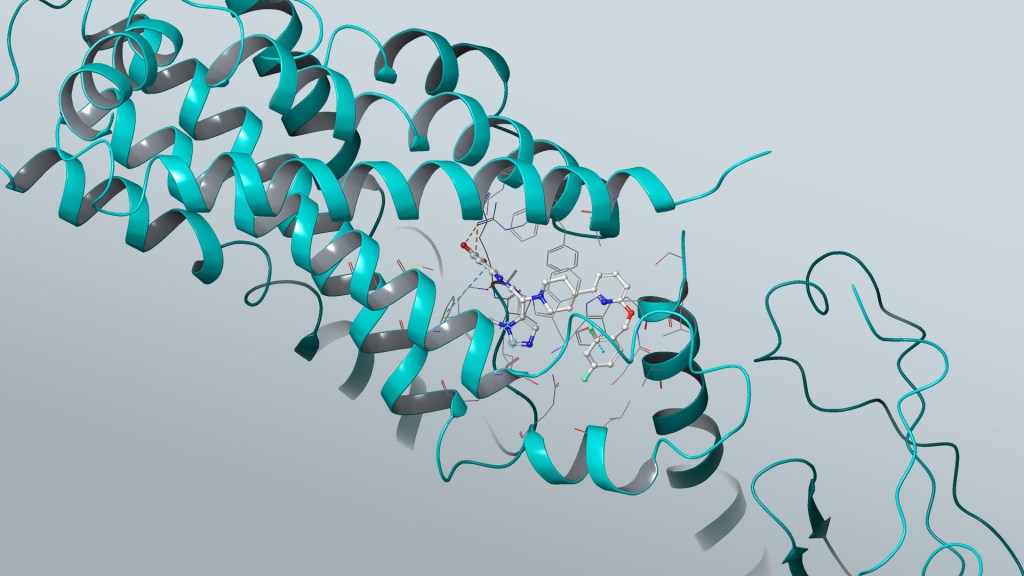
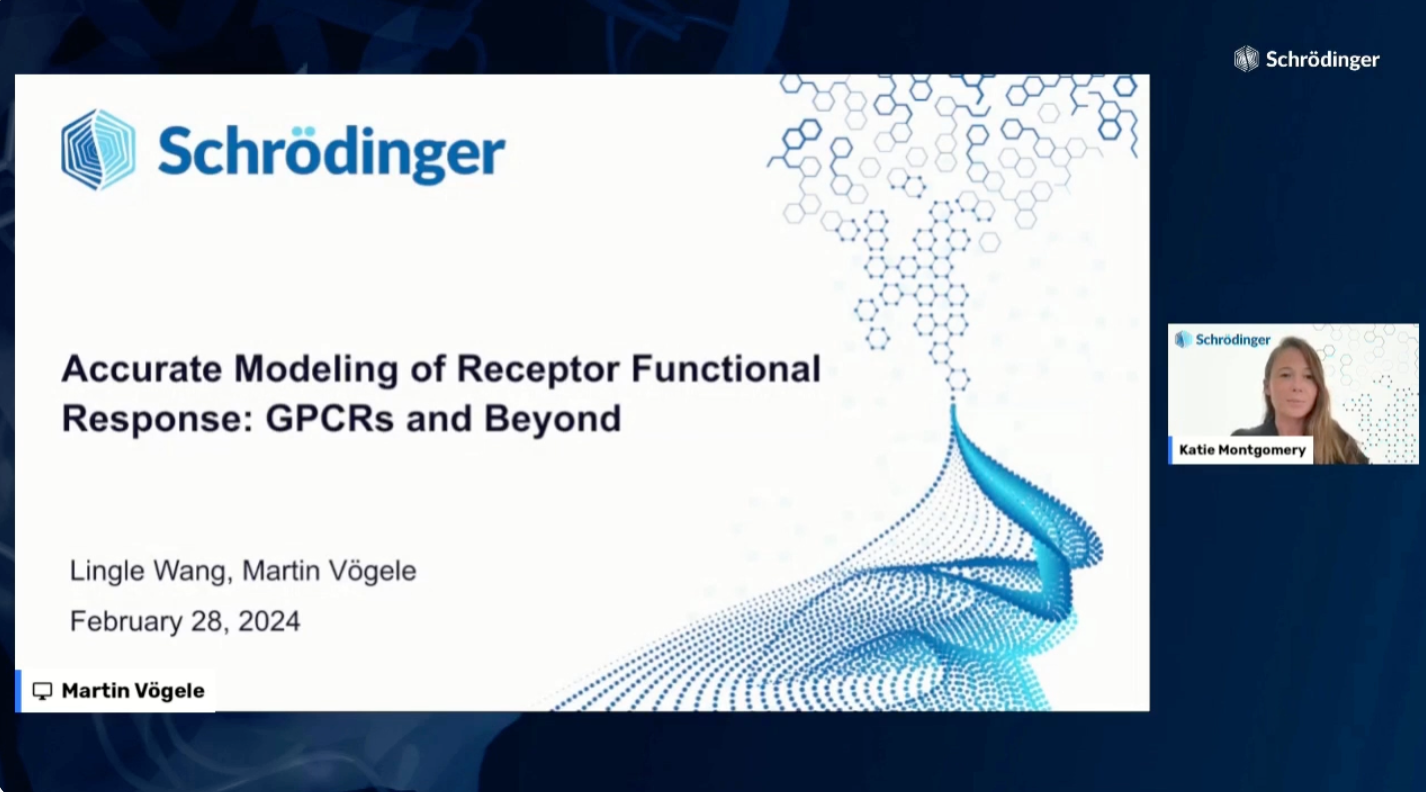
For a drug to be effective, potent binding to the target protein is a prerequisite, but it is not sufficient. Rather, in order to produce the desired functional response, the drug must either inhibit the function of the protein or modulate the activity of the protein, most typically by modifying its conformational equilibrium. The long timescales for such protein conformational changes prohibit them from being directly modeled via physics-based simulations. However, our recent work has demonstrated that the consequences of these long-timescale processes can be accurately modeled with alchemical free energy calculations using FEP+.

In this webinar, we present a tractable and computationally efficient protocol that can accurately and reliably predict the functional response of a receptor to ligand binding, including:

  • The use of Absolute Binding Free Energy Perturbation (ABFEP) to score the difference of the ligand bound to active and inactive states of the receptor and accurately predict the functional response of ligand binding

  • Validation on a large set of systems including eight G protein-coupled receptors (GPCRs) and one nuclear receptor

  • How this FEP-based workflow can be used to achieve unprecedented performance in classifying ligands as agonists or antagonists in drug discovery programs

  • Best practices for applying this approach to your own research projects

icon time 8:00 AM PT / 11:00 AM ET / 4:00 PM GMT / 5:00 PM CET

Accurate modeling of receptor functional response: GPCRs and beyond

Our Speakers

Lingle Wang, PhD

Senior Vice President, Schrödinger

Lingle Wang, senior vice president, scientific development, joined Schrödinger in 2012. He is responsible for advancing Schrödinger’s physics-based computational drug discovery platform. He obtained his Ph.D. from Columbia University working with Professors Richard Friesner and Bruce Berne on methods to quantify the role of water molecules in protein-ligand binding, enhanced sampling in biomolecular simulations and free energy calculations. Lingle has published extensively in the areas of free energy methods development and applications in drug discovery.

Martin Vögele, PhD

Senior Scientist I, Schrödinger

Martin Vögele is a senior scientist in the life science software department at Schrödinger, Inc. in New York City. Previously, he was a postdoc in computer science at Stanford University where he worked on simulations of G-protein-coupled receptors and on machine learning for structural biology and drug discovery. Before moving to the United States, he obtained a PhD for work on diffusion and self-organization in lipid membranes at the Max Planck Institute of Biophysics in Frankfurt, Germany.

Register

Structural Biology

Structural Biology

Research IT & Cloud Computing

Expand the impact of structural biology on drug design

Structural biology is rapidly developing due to advances in cryo-EM, machine learning technologies such as AlphaFold, and new computational capabilities. New questions can be asked, with new standards of what is achievable.

Schrödinger is spearheading modern computational workflows for structure refinement, ligand placement, and binding site analysis to unlock a broader range of protein targets for structure-based design.

Tools for computational structure refinement, ligand placement, and binding site analysis

Utilize computational tools to generate and validate ligand binding poses

  • Dock ligands into ambiguous density, such as in cryo-EM structures, using a best-in class force field to resolve uncertainty
  • Generate refined protein structures with improved quality and statistics without the need for explicit ligand restraints files

Prepare and refine computational models using your experimentally determined structures

  • Reliably and accurately dock ligands into your experimentally determined structures for drug design or mechanistic evaluations
  • Rationally build unresolved side-chain atoms with ligand placement
  • Place cofactors and solvent to convert low resolution models into complete, all-atom representations

Improve collaboration with chemists using a centralized structural data and 3D visualization platform

  • Store, search and organize target structures
  • Utilize expert pipelines to align and prepare protein structures
  • View, overlay and assess structures in 3D to drive target selection
> LiveDesign

Solutions for all stages of your drug discovery program

Get more from your ideas by harnessing the power of large-scale chemical exploration and accurate in silico molecular prediction.

Structure Prediction & Target Enablement
Hit Discovery
Hit-to-Lead & Lead Optimization
Drug Formulation

Webinars

Structure-based drug discovery without a structure: Enabling accurate FEP+ predictions for challenging targets and ADMET anti-targets

Opening new worlds for structure-based drug discovery with advanced physics-based computational methods

Improving protein-ligand modeling into cryo-EM data and the use of those models in drug discovery efforts

Learn advanced molecular modeling tools at your own pace

Introduction to Molecular Modeling for Drug Discovery Life Science Life Science
Introduction to molecular modeling in drug discovery

Protein preparation, ligand docking, collaborative design, and other fundamentals of small molecule drug discovery with Maestro and LiveDesign

Free Energy Calculation for Drug Design with FEP+ Life Science Life Science
Free energy calculations for drug design with FEP+

Running, analyzing, and troubleshooting relative binding FEP+ calculations for small molecule lead optimization

Software and services to meet your organizational needs

Software Platform

Deploy digital drug discovery workflows using a comprehensive and user-friendly platform for molecular modeling, design, and collaboration.

Research Services

Leverage Schrödinger’s computational expertise and technology at scale to advance your projects through key stages in the drug discovery process.

Support & Training

Access expert support, educational materials, and training resources designed for both novice and experienced users.

Release 2023-3

Library Background

Release Notes

Release 2023-3

Small Molecule Drug Discovery

Platform Environment

Maestro Graphical Interface

  • Apply ribbon and cartoon styling on selected entries  [2023-3]
  • Improve visualization of interactions crossing Periodic Boundary Conditions [2023-3]
  • Seamlessly copy and paste data from the Project Table into external applications including spreadsheets, enabling efficient data transfer and analysis [2023-3]
  • Trajectory Player [2023-3]
    • View trajectories from lambda dynamics calculations such as those from the constant pH workflow
    • Navigate frames in trajectory visualization easily using keyboard arrow keys
  • 3D Builder [2023-3]
    • Access Builder Behavior options from the 3D Builder palette
  • Interactively mutate native nucleotides in the Workspace, including between DNA to RNA and RNA to DNA nucleotides [2023-3]
  • Enhanced “Save Project As” functionality with Windows-only UX improvements [2023-3]
  • Maestro to PyMOL connection [2023-3]
    • Streamline the integration of WaterMaps with PyMOL
    • Include Maestro Scene “Description” as a PyMOL Message for better scene management
  • Maestro to LiveDesign connection [2023-3]
    • Seamlessly integrate between Maestro and LiveDesign with the new Mapping Manager. Easily rename property mappings and eliminate the issue of cluttered names when creating variations. Save and share mappings using the direct import and export feature.

Job Control

  • Smart distribution jobs in Job Server now check license availability, eliminating risk of license exhaustion [2023-3]

Workflows & Pipelining [KNIME Extensions]

  • Streamline the login process with the LiveDesign connection node using Single Sign-On (SSO) tokens [2023-3]

Target Validation & Structure Enablement

Protein Preparation

  • Optionally use custom PFAM databases in pfam_driver.py [2023-3]
  • Import structures into Coot with standard residue names from protein preparation’s PDB output. The Maestro output retains protonation-specific residue naming, i.e HIP/HID/HIE instead of HIS [2023-3]
  • Significantly improved performance of Protein Preparation including the Interactive Optimizer for systems of 90,000 atoms or more [2023-3]

Multiple Sequence Viewer/Editor

  • Benefit from speed and accuracy improvements in protein/nucleic acid structure alignment from replacing the previous SKA aligner with the CEAlign algorithm [2023-3]
  • Download structural models directly from AlphaFold2 by providing a UniProt ID [2023-3]

IFD-MD

  • Design out common ADMET liabilities using the new IFD-MD workflow (Beta). Predict complex structures of a ligand bound to CYP2D6, CYP3A4, PXR, or hERG [2023-3]

Hit Identification & Virtual Screening

Ligand Preparation

Empirical and QM-based pKa Prediction

  • Benefit from improved accuracy with the addition of several hundred more data points in the Macro-pKa training set [2023-3]

Active Learning Applications

  • Adjust equilibration simulation times and complex restraint options in Active Learning-FEP [2023-3]
  • Connect to ongoing GraphDB runs when restarting Active Learning-FEP jobs [2023-3]
  • Generate a final Maestro file that contains all ligands with FEP data and the corresponding endpoints [2023-3]

Shape Screening

  • Screen up to tens of billions of compounds quickly and efficiently with the new Quick Shape ligand-based screening workflow [2023-3]

ABFEP

  • Fit torsions on the fly via FFBuilder for FEP+ Web Services [2023-3]

Lead Optimization

FEP+

  • Fit torsions on the fly via FFBuilder for FEP+ Web Services [2023-3]
  • Support linker enumeration of compounds with symmetrical R-groups [2023-3]

Constant pH Simulations

  • Full-featured release of constant pH simulations [2023-3]
  • Improved analysis of constant pH simulations for protein pKa calculations [2023-3]
    • Automatically write constant pH trajectories specific to each pH
    • View trajectories from lambda dynamics calculations such as those from the constant pH workflow

Solubility FEP

  • Fit torsions on the fly via FFBuilder for FEP+ Web Services [2023-3]

Quantum Mechanics

  • Predict conformation-dependent IR and VCD/ECD spectra using an automated workflow within the new Jaguar Spectroscopy product [2023-3]
  • Download importable Jaguar-formatted basis sets from Basis Set Exchange [2023-3]
  • Access dynamic scans from the Relaxed Scan panel [2023-3]
  • Access the ΔSCF method and a script to prepare ΔSCF input on the command line [2023-3]

Semi-Empirical Quantum Mechanics

  • Parallelize batch and individual xTB calculations with OpenMP [2023-3]

Biologics Drug Discovery

  • Protein Linker Design Panel: Automatically detect and populate terminal residue and corresponding distances for improved usability [2023-3]

Materials Science

GUI for Quantum ESPRESSO

Product: Quantum ESPRESSO (QE) Interface

  • Quantum ESPRESSO: Upgrade to Quantum ESPRESSO 7.2 [2023-3]
  • Quantum ESPRESSO: Support for Car-Parrinello MD (cp.x) (command line) [2023-3]
  • Quantum ESPRESSO: Undo for atom reordering in NEB setup [2023-3]
  • Quantum ESPRESSO: Support for data analysis for 3D-RISM (pprism.x) (command line) [2023-3]
  • Quantum ESPRESSO: NEB Energy reported in Project Table [2023-3]
  • Quantum ESPRESSO: Calculation and plot of Raman spectra [2023-3]
  • Quantum ESPRESSO: Option to reduce scratch disk space requirement (command line) [2023-3]
  • Quantum ESPRESSO: Faster job launch for large structures [2023-3]
  • Surface Energy: Workflow module to compute surface energy [2023-3]

Materials Informatics

Product: MS Informatics

  • Machine Learning Property: Warning for molecular weight outside the model’s range [2023-3]
  • Machine Learning Property: Viscosity prediction for molecular liquids [2023-3]

Dielectric Properties

Product: MS Dielectric

  • Complex Permittivity: Improved assignment algorithm for CPU and GPU subjobs [2023-3]

MS Maestro Builder and Tools

  • Square pyramidal geometry option from complex builders [2023-3]
  • Extract Clusters: Jobs launched to queue [2023-3]
  • Extract Clusters: Option to extract single molecules [2023-3]
  • Meta Workflows: Option to set up implicit solvent in the QM stages [2023-3]
  • Meta Workflows: Support for a workflow-splitter stage [2023-3]
  • Meta Workflows: Support for workflow-split by polymer builder stage [2023-3]
  • Meta Workflows: Support for workflow-split by disordered system builder stage [2023-3]
  • Meta Workflows: Support for workflow-combine stage following a workflow-split [2023-3]
  • Meta Workflows: Incorporation of all structures from each stage [2023-3]
  • Meta Workflows: Built-in stage for Extract Clusters [2023-3]
  • Meta Workflows: Built-in stage for Conformational Search [2023-3]
  • Meta Workflows: Built-in stage for Evaporation [2023-3]
  • Meta Workflows: MD trajectories saved by default for single stage workflows [2023-3]
  • Meta Workflows: Preceding stage set as parent by default for a new stage [2023-3]
  • Query Bonds: Options to selectively show bonds through periodic boundaries [2023-3]
  • Solvate System: Advanced builder for a solvated systems with 100K+ atoms [2023-3]

Classical Mechanics

  • Barrier Potential for MD: Tool to set up repulsive barriers for MD simulations [2023-3]
  • Electrolyte Analysis: Support for polyatomic ions [2023-3]
  • Evaporation: Default length for each MD stage set as 20 ps [2023-3]
  • Molecular Deposition: Improved simulation speed [2023-3]
  • Molecular Deposition: Support for repulsive potential barrier [2023-3]
  • Polymer Crosslink: Image export from the viewer with 300 dpi [2023-3]

Quantum Mechanics

  • Reaction Workflow: Support for post-MacroModel XTB optimization [2023-3]
  • Reaction Workflow: Check to avoid non-minimum stationary states [2023-3]
  • Transition Moment Order Parameter: Workflow module to compute order parameter based on transition dipole moment [2023-3]

Education Content

  • New Tutorial: Applying Barrier Potentials for Molecular Dynamics Simulations [2023-3]
  • New Tutorial: Building Solvated Systems [2023-3]
  • New Tutorial: Dynamic Relaxed Coordinate Scans [2023-3]
  • New Tutorial: Calculating Transition Dipole Moments (TDM), TDM Distributions, and Order Parameter [2023-3]
  • Update: Molecular Deposition [2023-3]
  • Update: Modeling Surfaces [2023-3]
  • Update: Polymer Electrolyte Analysis [2023-3]

LiveDesign

What’s New in 2023-3

  • Assay Viewer Tool enhancements
    • Filter data by experiment date
    • Highlight cells in the LiveReport that match data in the Assay Viewer
    • Use keyboard arrow keys to navigate rows
    • Select multiple rows at once
  • Coloring Rules: Quickly transfer coloring rules from any column to any other column by copying and pasting coloring rules through the column menu
  • Ligand Designer: Convert a Parameterized Glide Model to an implicit Ligand Designer configuration, for example with FEP+ poses uploaded from Maestro
  • Maestro Export Enhancements
    • Map Maestro to LD properties to streamline frequent exports
    • Log in with single sign-on
    • Log in once and reuse the session across multiple export actions
  • UX Improvements
    • 3D Visualizer
      • Pi-pi interactions are shown by default within the 3D visualizer
    • Experimental Data Handling
      • Add hyperlinks to Assay Tooltips to quickly navigate to any website
    • General LiveReport Improvements
      • Quickly navigate to selected compounds by using new navigation buttons in the LiveReport footer
      • Find LiveReports more quickly through the LiveReport Picker, which opens the most recently accessed folder
      • Filters now shows a yellow notification bar after making any change
      • Notification bars now include a ‘x’ button to remove the notification
      • Close all open LiveReports by clicking a new “Close All” option in the LiveReport menu
    • Landing Pages
      • Hyperlinks in the Landing Page automatically open in a new tab
      • The Landing Page’s “Recently Commented Compounds” list now include a hyperlink to quickly navigate to the compound’s detail page
    • Plots
      • Move the compound image within plot tooltips
      • Box plots now show a solid blue color for each box
      • View accurately scaled plot overlays when the axis is set to logarithmic scale
    • Search
      • Search the active LiveReport for multiple IDs at once and delete multiple IDs
      • Filter GPUSimilarity search results with computed property thresholds
      • A clear button is available to reset the list of IDs in Search by ID
      • Searches within the Data & Columns tree now span across folders and column names to find matches, rather than looking for matches only within a continuous folder name or column name
    • Quickly select Experiment Protocols within the Generic Entity import UI with a new typeahead suggestion

What’s been fixed

  • Structure searches now correctly use the sketched structure after navigating between LiveReports and Landing Pages
  • Parameterized models that use MPOs as input now calculate when the MPO does not have a score
  • The Assay Viewer Tool can not longer delete Freeform column data
  • Compounds that get added to LiveReports with R-group decompositions now have their decomposed R-groups correctly colored without hard-refreshing the LiveReport
  • The Admin Panel Tasks list and Task Details Page now show the correct LiveReport ID that launched the task, after compounds are copied from one report to another and the model is recalculated
  • The Apply Template dialog now denotes which templates belong to the Global project, and lists the templates in alphabetical order
  • The Structure Processing UI within the Admin Panel shows structures more quickly
  • The Structure Processing interface within the Admin Panel now shows a loading indicator when uploading a processing file
  • Forms widgets now show a hammer and wrench icon to quickly access the Ligand Designer
  • Plots within Forms now show a tooltip when expanding the legend
  • The column header’s dropdown button is now visible after selecting multiple columns that extend beyond the screen width
  • Searching the LiveReport via the magnifying glass will now correctly scroll to results when the LiveReport has frozen rows
  • The Add and Change Model pages within the Admin Panel now list protocols alphabetically within the Parent Protocol dropdown
  • Navigating to a URL within the User Manual will correctly redirect to the User Manual page after logging in
  • Forms with long titles no longer alter the Form Toolbar’s alignment
  • Plot tooltips now permit reordering the list of properties
  • The LiveReport Picker UI is now consistent between Firefox and Chrome, and no longer highlights text after selecting multiple LiveReports via Shift+Click or Ctrl+Click (Cmd+Click on Mac)
  • The Tile view scroll bar no longer changes size while scrolling
  • Clicking on the Project Name in the upper left hand portion of the user interface will now open the Project Selection dialog
  • Freeform column descriptions can now be deleted when configuring a Freeform column
  • The Column Management panel now indicates which groups contain both visible and hidden columns
  • Tile view now shows and hides stereo annotations when using the “Show Stereo Annotations” toggle
  • Searching the LiveReport via the magnifying glass will now show results after filters conditions are removed
  • Password resets no long fail, which prevented password resets and adding new users
  • LiveReports that contain Layouts with one or more Matrix widgets can now be duplicated
  • Ligand Designer sessions no longer show a message that zero docking jobs are queued when the docking queue is empty
  • Uploaded experimental results from files for Generic Entities now appear in the Data & Columns tree
  • Templates from the Global project can no longer be overwritten from another project
  • Columns from unpublished Maestro uploads and file uploads of small molecules no longer appear in the Data & Columns tree
  • Reactions will now show the reaction image, and successfully compute, after a reaction is selected via double-clicking

Training & Resources

Online Certification Courses

Level up your skill set with hands-on, online molecular modeling courses. These self-paced courses cover a range of scientific topics and include access to Schrödinger software and support.

Tutorials

Learn how to deploy the technology and best practices of Schrödinger software for your project success. Find training resources, tutorials, quick start guides, videos, and more.

Other Resources

2nd Industrial Polymers & CPG Summit

2nd Industrial Polymers & CPG Summit

CalendarDate & Time
  • November 15th-16th, 2023
LocationLocation
  • Bismarckstraße 118, 51373 Leverkusen, Germany Lindner Hotel Leverkusen BayArena

We are pleased to invite you to the 2nd Industrial Polymers & CPG Summit: Driving Product Innovation Through Molecular Modeling


Hosted by Covestro & Schrödinger

This event will bring together leaders in industrial polymers and consumer packaged goods to explore how digital chemistry can drive innovation in product research and development. We will discuss how the combination of physics-based molecular simulation and machine learning can help reduce innovation timelines for new products and optimize existing product portfolios.


Agenda Highlights

  • Case study presentations by industrial scientists from Bayer, Cambrium, Covestro, Henkel and more on the impact of molecular simulations on their R&D projects
  • Panel discussion on opportunities for applying these methods within polymer and CPG R&D and challenges to adopt new technologies in an industrial setting
  • Presentation from Schrödinger scientist on the state of the industry and future technology developments
  • 1:1 meetings and networking with industry peers and academic thought leaders

Agenda


In silico materials development: Integrating atomistic simulation into academic chemistry and engineering labs

Webinar

In silico materials development: Integrating atomistic simulation into academic chemistry and engineering labs

CalendarDate & Time
  • November 14th, 2023
  • 12:00 PM PT / 3:00 PM ET / 8:00 PM GMT
LocationLocation
  • Virtual

Computational chemistry is ubiquitous in academic research in chemistry, materials science, and engineering. Applied molecular modeling can drive or supplement a research project – accelerating discovery processes, minimizing the need for extensive experimental testing, and providing atomic scale insights.

In this webinar, we will explore Schrödinger’s leading physics-based and machine learning computational technologies and provide a comprehensive introduction to the capabilities of computational modeling in chemistry, materials science, and engineering.

We will discuss workflows and applications for polymeric materials, electronics, aerospace, renewable energy, catalysis, and formulations.

    • Molecular and periodic quantum mechanics (DFT) for property prediction and reaction mechanism elucidation
    • Accelerated polymer modeling with all-atom molecular dynamics
    • Coarse-grained methods to explore larger systems and longer timescales
    • Advanced machine learning models for new material discovery
    • Educational and training resources, such as Schrödinger’s seven online materials science certification courses

Following the webinar, the speaker will also be available to answer questions. Whether you are a student, an early career researcher, or an established expert seeking to expand your field of knowledge, this webinar promises to be a valuable resource for all levels of expertise interested in staying at the forefront of computational modeling in materials science.

icon time 3:00 PM – 4:00 PM EST (1 Hour)

In silico materials development: Integrating atomistic simulation into academic chemistry and engineering labs

Our Speaker

Dr. Michael Rauch

Principal Scientist I Schrodinger

Dr. Michael Rauch is a Principal Scientist I at Schrödinger specializing in materials science and education. Michael earned his Ph.D. from Columbia University in synthetic organometallic chemistry as an NSF Graduate Research Fellow before pursuing a postdoctoral role in organic chemistry at the Weizmann Institute of Science as a Zuckerman Postdoctoral Scholar. Michael is particularly interested in green, sustainable chemistry and transforming the way that synthetic chemists utilize molecular modeling via practical education.

Register

Button